Magento and Adobe Commerce stores are high-value targets. They process payment data, store customer PII, and run open-source code with thousands of community modules. The Magecart skimmer campaigns of 2018 through 2024 cost retailers an estimated several hundred million dollars in fraud losses, fines, and remediation. The risk hasn't gone away in 2026.
The good news: most successful attacks against Magento stores in the last decade exploited known vulnerabilities for which Adobe had already shipped a patch. Stores that patch on schedule, with a real testing pipeline and operational discipline, almost never get breached.
This guide is the security patching playbook our team uses on every Magento and Adobe Commerce engagement. It covers Adobe's patch cadence and severity classification, the staging-first testing pipeline, common pitfalls that break sites during patching, scanning tools we trust, and incident response when a vulnerability gets exploited.
The 30-Second Verdict
If you're scanning:
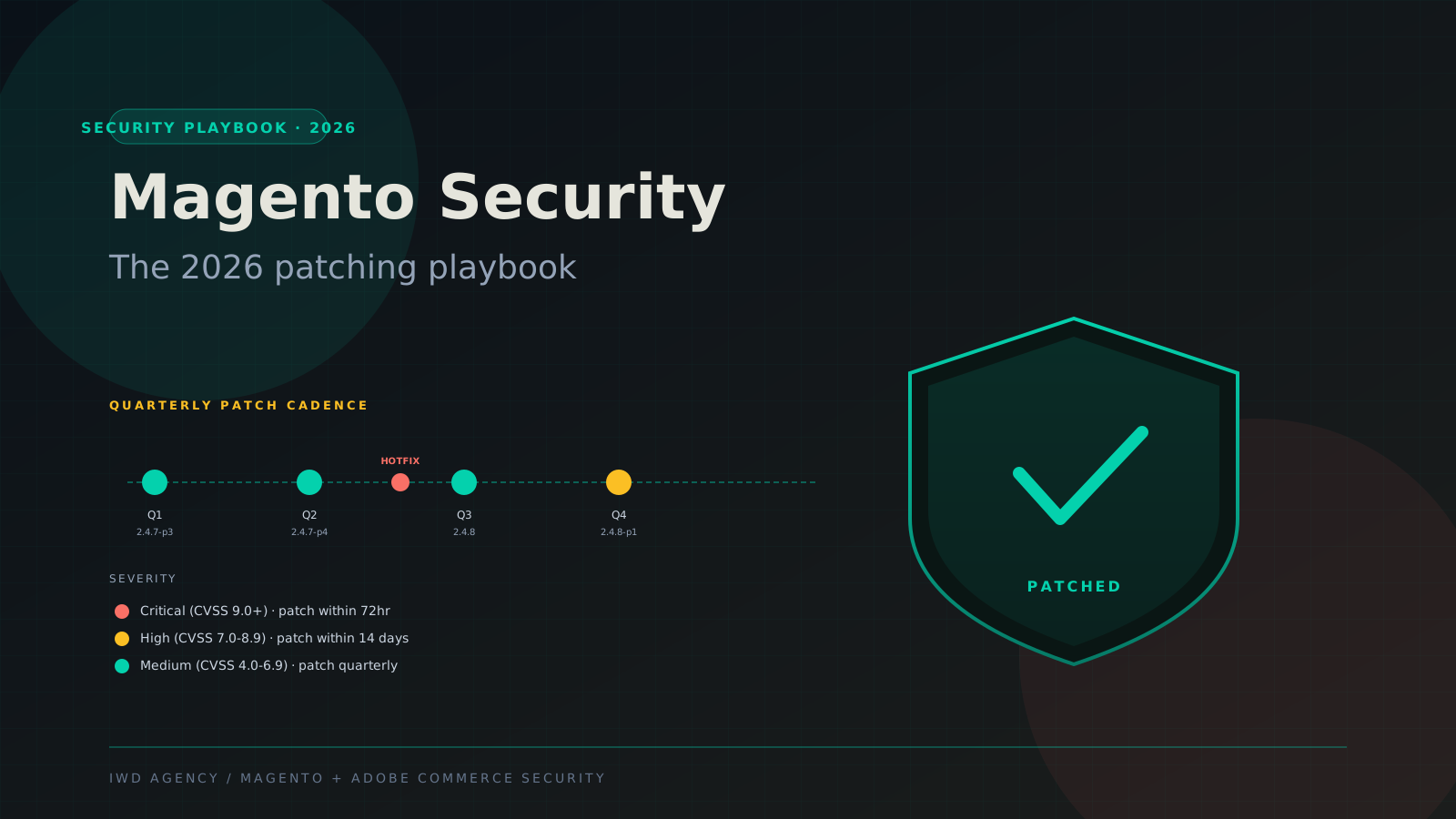
- Adobe ships patches quarterly with hotfixes for critical CVEs in between. Critical patches must go to production within 72 hours. Quarterly patches should hit production within 14 days of release.
- Always test patches in staging first. The two biggest breakage causes are custom code conflicts and theme code regressions. Both are catchable in a properly-configured staging environment.
- Scan continuously, not just after patching. Sansec's eComscan and MageReport monitor for malware, outdated patches, and known indicators of compromise. Both should be running on every Magento store.
- Plan incident response before you need it. Pre-built playbooks for the three most common incidents (skimmer detected, admin compromise, payment data exposure) cut response time from days to hours.
Adobe's Patch Release Cadence
Adobe ships Magento and Adobe Commerce patches on a predictable cadence. Knowing the cadence makes operational planning straightforward.
Quarterly releases drop roughly mid-quarter (Feb, May, Aug, Nov in most years). These bundle accumulated security fixes plus feature updates. The naming pattern is version-increment plus patch number (e.g., 2.4.7-p3 means version 2.4.7 with the third patch level applied).
Hotfixes drop between quarterly releases when Adobe identifies a critical CVE that can't wait. These are usually announced via the Adobe Security Bulletin (APSB) channel and sometimes via Magento Security Center email.
Severity classification follows CVSS 3.1 scoring. Critical (9.0+) covers remote code execution, authentication bypasses, and SQL injection that don't require authentication. High (7.0-8.9) covers authenticated RCE, privilege escalation, and admin-only vulnerabilities. Medium (4.0-6.9) covers information disclosure, lower-impact XSS, and less-exploitable issues.
Magento Open Source vs Adobe Commerce: The Patching Divide
Adobe ships patches for both editions, but the SLA, security response time, and patch backporting policy differ significantly.
| Dimension | Magento Open Source | Adobe Commerce |
|---|---|---|
| Patch frequency | Quarterly | Quarterly + hotfixes |
| Critical CVE response | Best-effort (community-supported) | Adobe-backed enterprise SLA |
| Backporting to older versions | Limited to current LTS only | Up to 3 years for active enterprise customers |
| Early disclosure / VRP | Adobe Bug Bounty (HackerOne) | Same channel, enterprise priority |
| Pre-release patch access | No | Limited (early access program) |
| Security scanning tool | Magento Security Scan Tool (free) | Same + Adobe enterprise support |
| Support channel for security questions | Community (DevDocs, GitHub) | Adobe Premier Support, 24/7 |
For Magento Open Source stores, the practical impact is that you're more on your own for security operations. Patches still come from Adobe, but if you have a complex issue or need a backport to an unsupported version, you don't have a paid support path.
For Adobe Commerce stores, the enterprise support backs up the patch cadence. Adobe Premier Support 24/7 means you have a phone number to call when a critical CVE drops and you need help applying it.
The Staging-First Patching Pipeline
The two biggest causes of patching breakage are custom code conflicts (a custom module overrides a core class that the patch modifies) and theme regressions (a custom theme depends on behavior the patch changes). Both are catchable in staging before they hit production.
Stage 1: Identify and triage
When Adobe announces a patch, the first job is triage. Read the security bulletin (APSB), check the CVSS score, confirm your version is affected (Adobe lists impacted versions), and review which Magento components changed. Tag the patch with internal severity and assign owner.
Stage 2: Apply to staging
Staging must be a true mirror of production: same modules, same theme, same configuration, same recent data sample. Apply the patch via Composer (composer require magento/product-community-edition --update-with-dependencies), run bin/magento setup:upgrade, then bin/magento cache:flush. If the patch is a discrete fix package, apply it via composer require magento/quality-patches if you're using Adobe's QPT tool.
Stage 3: Automated testing
Run your full test suite. PHPUnit for module-level tests, Cypress or Playwright for end-to-end (homepage, PDP, cart, checkout, customer login, admin login), Lighthouse for performance regressions, and PHPStan or Psalm for static analysis. Smoke tests must cover the critical buyer journeys.
Stage 4: Manual QA
Automated tests don't catch everything. Manual QA validates the user-visible critical journeys (search, browse, add-to-cart, checkout with each payment method, account creation, login), custom features unique to your store (B2B quote workflow, custom checkout step, custom shipping methods), and admin functions (order management, customer search, product save).
For B2B stores, dedicate manual QA time to the company account workflow, quote-to-cart, and customer-group-pricing logic. These are the most patch-fragile areas.
Stage 5: Production deployment
Schedule a maintenance window (lowest-traffic period for your business). Enable maintenance mode (bin/magento maintenance:enable), apply the patch via Composer, run setup:upgrade and cache:flush, disable maintenance mode, run production smoke tests, and monitor error rates, conversion rate, and page load times for 4 hours post-deploy.
Have a rollback procedure ready before you start. Database snapshot, code rollback via Git tag, cache flush in reverse order. Test rollback against staging at least once a year.
Common Patching Pitfalls and How to Avoid Them
What actually breaks during Magento patching
These five issues account for roughly 80 percent of the production breakage we see when teams skip the staging step or run a non-mirrored staging environment.
Pitfall 1: Custom class overrides that conflict with the patch. A custom module overrides a core Magento class via dependency injection or preference, then the patch modifies that same class. The override silently masks the patch fix or, worse, breaks the class entirely. Solution: audit all preferences and around plugins quarterly. Document why each override exists and whether it's still needed.
Pitfall 2: Theme code that depends on changed behavior. A custom theme phtml template assumes a particular block returns a specific HTML structure. The patch changes the structure. Theme breaks visibly. Solution: full visual regression testing in staging using Percy or BackstopJS, or a manual screenshot review of critical pages.
Pitfall 3: Composer dependency conflicts. A patch requires a newer dependency version that conflicts with a third-party module's pinned version. composer update fails. Solution: run composer why-not magento/module-foo:2.4.7-p3 to identify conflicts before pulling the patch. Reach out to third-party module vendors for compatible versions, or pin the problem dependency and apply the patch manually.
Pitfall 4: Database schema changes that fail on a large catalog. Some patches include database migrations. On large catalogs (1M+ SKUs), these can run for hours and lock tables. Solution: time the staging migration, communicate the maintenance window realistically, and consider scheduling during a long weekend if the migration is expected to run over an hour.
Pitfall 5: Forgotten queue consumers and cron jobs. Magento has background queue consumers (RabbitMQ or built-in DB queues) and cron jobs that process async tasks. After a patch, restart all queue consumers and verify cron is running. We've seen sites continue to function visibly but accumulate hours of queue backlog because consumers weren't restarted.
Security Scanning: The Tools We Trust
Patching alone isn't security. Continuous scanning catches both unpatched vulnerabilities and active compromise indicators that no patch will fix.
Our recommended Magento security scanning toolkit
Sansec eComscan. Industry-standard malware scanner for ecommerce. Detects Magecart skimmers, injected backdoors, modified core files. Free tier available, paid plans for continuous monitoring with alerts. Runs roughly weekly automated scans against your store.
MageReport. Free vulnerability scanner that checks for unpatched CVEs, missing security headers, exposed admin paths, and outdated patches. Quick health check tool. Run after every patch deployment and weekly otherwise.
Magento Security Scan Tool (Adobe). Free first-party tool from Adobe. Less comprehensive than Sansec but provides a baseline vulnerability assessment. Built into the Magento Admin under Reports.
OSSEC or Wazuh HIDS. Host-based intrusion detection. Watches for file integrity changes, unusual process activity, log anomalies. Self-hosted, open source. Critical for high-value stores.
WAF (Web Application Firewall). Cloudflare WAF, AWS WAF, or Sucuri. Blocks common attack patterns (SQLi, XSS, admin path brute force) before they reach Magento. Configure with Magento-specific rules.
Incident Response: When Something Goes Wrong
Despite good patching discipline, breaches happen. Incident response that's planned in advance turns a multi-day disaster into a managed incident.
Skimmer detected
Sansec or another scanner identifies a Magecart-style payment skimmer injected into your checkout JavaScript. The skimmer harvests card data as buyers enter it and exfiltrates to attacker-controlled domains.
Hour 1-2: Take payment forms offline (or put the store in maintenance mode). Identify the injection point. Common targets: third-party scripts loaded on checkout, admin user with compromised credentials, vulnerable extension.
Hour 2-12: Audit the skimmer code, determine the time window of active exfiltration, identify the entry vector (vulnerable patch level, compromised admin account, vulnerable extension), and clean the skimmer plus any related backdoors.
Hour 12-48: Reset all admin credentials. Force password reset for affected customers. Rotate API keys and secrets. Patch the entry vector vulnerability. Re-deploy from a known-clean Git tag.
Day 2 onward: Notify card processors (Visa, Mastercard, PCI compliance program). Issue customer notification per state breach-disclosure laws. Engage forensic firm if PCI scope is broad. Engage legal counsel for breach notification compliance.
Admin compromise
An attacker gains admin access via credential stuffing, phishing, or a vulnerability in an admin extension. They typically install a backdoor for persistent access and may inject a skimmer.
Hour 1: Disable the compromised admin account. Audit recent admin activity logs. Identify added admin users (often hidden via attacker-installed cleanup scripts).
Hour 1-6: Audit code changes since the suspected compromise window. Look for new files in /app/code/, modified core files, modified .htaccess, modified pub/index.php. Restore from clean Git tag, force-reset all admin credentials, enable 2FA on all admin accounts.
Day 1+: Implement WAF rules to rate-limit admin path access. Move admin URL off the default /admin path (if not already). Require 2FA. Audit admin user list quarterly.
Payment data exposure
PII or payment data exposed via misconfiguration (logs containing card numbers, debug mode in production exposing data, database export uploaded to a public URL). Less common than skimmer attacks but high-impact when it happens.
Hour 1: Identify the exposure surface (which data, how many customers, time window of exposure). Remove the exposed data source.
Hour 1-24: Audit access logs to determine if data was retrieved by attackers. Engage forensic firm to confirm scope. Begin breach notification procedure per state and federal law.
Long term: PCI scope reassessment, payment processor coordination, and audit of all production logging for card data leakage (Magento should never log card numbers; if it is, fix that immediately).
Have your incident response plan written before you need it
Most stores don't have a documented incident response procedure. When a breach happens, the team improvises under pressure. Pre-written playbooks for the three most common scenarios (skimmer, admin compromise, data exposure) cut response time from days to hours and reduce the chance of compounding mistakes.
Patch Compliance for B2B and Regulated Industries
If your store handles B2B payment terms (Net 30, credit limits) or operates in a regulated industry (FDA, ITAR, HIPAA-adjacent), patching is also a compliance obligation. PCI DSS requires critical security patches within 30 days of release. Most enterprise customer security questionnaires include a question about patch cadence. SOC 2 audits expect documented patching procedures with evidence of compliance.
Document everything. Maintain a patch log (date applied, version, CVE list, sign-off signatures from dev/ops/QA). Have your scanning tool reports archived. Be able to demonstrate the staging-first procedure with audit-quality records.
Frequently Asked Questions
Common questions about Magento and Adobe Commerce security patching
How often does Adobe release Magento security patches?
Quarterly major patches (roughly Feb, May, Aug, Nov) bundle accumulated security fixes plus features. Hotfixes drop between quarterly releases when Adobe identifies a critical CVE that can't wait. Both Open Source and Adobe Commerce receive the same patches, though Adobe Commerce gets enterprise-priority support and backporting to older versions.
Can we skip patches if we have a WAF in front of Magento?
No. A WAF reduces risk but doesn't eliminate it. Many Magento vulnerabilities are authenticated (require an existing admin or customer session) and a WAF won't catch them. WAFs also can't catch vulnerabilities that exploit business logic. Patches stay mandatory. WAF is defense-in-depth, not a replacement.
What if a patch breaks a custom module?
Standard response: identify the conflict (usually a class preference or around plugin that overrides a method the patch changed), update the custom module to be patch-compatible, test in staging, and proceed. If the third-party module vendor hasn't shipped a compatible version, you have three options: fork the module and patch it yourself, work around the conflict, or remove the module if no longer essential.
How do we keep our staging environment in sync with production?
Database refresh on a schedule (weekly or after major data events), code via shared Git repo with branch promotion, configuration via Magento's config export/import. Many teams use a sanitized production database dump (PII removed, payment data scrubbed) refreshed weekly to staging. Adobe Commerce Cloud has a built-in environment promotion model that handles much of this.
What's the actual exposure window if we delay a critical patch by a week?
Significant. Critical Magento CVEs are weaponized within days of public disclosure. Magecart-style automated scanners actively probe Magento installs for unpatched CVEs across the entire IP space. A store running an unpatched critical CVE has measurable probability of compromise within 7 to 14 days. The 72-hour SLA on critical patches isn't paranoia, it's calibrated to attacker tooling cycles.
Should we use Adobe Commerce Cloud for automated patching?
Adobe Commerce Cloud handles the infrastructure side but not the patch application itself. You still need to test patches in your integration environment, promote to staging, validate, then promote to production. The Cloud platform makes the promotion model cleaner but doesn't remove the testing obligation. For lean teams, Adobe Commerce Cloud's environment promotion is a real time-saver. For mature DevOps teams, self-managed AWS gives more flexibility.
How do we handle patches when our team is small and busy?
Engage a Magento maintenance partner. Hosted Magento patch services run 1K to 5K monthly depending on store complexity and patch volume. The partner monitors Adobe announcements, applies patches to staging, runs tests, deploys to production on a documented schedule, and handles hotfixes within SLA. For most stores under 100K orders monthly, this is more cost-effective than building internal capacity.
Quick-Reference Patch SLA
How fast should each severity level move to production
Critical (CVSS 9.0+) - remote code execution, auth bypass
Production within 72 hours. Accelerated testing pipeline. Notify stakeholders. Cap manual QA at critical journeys. Have rollback ready.
High (CVSS 7.0-8.9) - authenticated RCE, privilege escalation
Production within 14 days. Standard testing pipeline. Full QA scope. Schedule maintenance window appropriately.
Medium (CVSS 4.0-6.9) - information disclosure, lower-impact XSS
Production with next quarterly cycle. Bundle with feature deploys if possible. Full regression testing.
Low (CVSS 0.1-3.9) - minor issues
Next major release cycle. No urgency. Test in normal cadence.
Related Reading
Magento development services · Adobe Commerce development · Magento maintenance services · Adobe Commerce Cloud · What is Magento · Adobe Commerce development guide
If you need a managed Magento or Adobe Commerce security patching service, or want our team to audit your current patching procedure, book a 30-minute security consultation with our Magento operations team.