

 Partner

To allow Google-Agent, add a rule in your CDN, web application firewall or bot-detection service that recognizes it by its user agent and Google's published IP list, then lets those requests through without a CAPTCHA or JavaScript challenge. Google published a new guide on allowing Google-Agent on November 17, 2026, and it matters most for sites with strict bot protection, which describes a lot of B2B catalogs.
It also confirms something we saw in our audit of 99 B2B websites for our guide on how B2B brands get recommended by AI: most sites don't block AI on purpose. The firewall does it for them.
What is Google-Agent?
Google-Agent is the name Google uses for agents hosted on its infrastructure that "navigate the web and perform actions upon user request." In plain terms, when someone asks a Google AI tool to look something up on your site or do something there, the visit can come from Google-Agent.
You'll see it in your logs as a normal Chrome user agent with Google-Agent in it, coming from an IP address on Google's user-triggered-agents.json list. Google is also testing signed requests through the Web Bot Auth protocol, so some requests carry a cryptographic signature from https://agent.bot.goog.
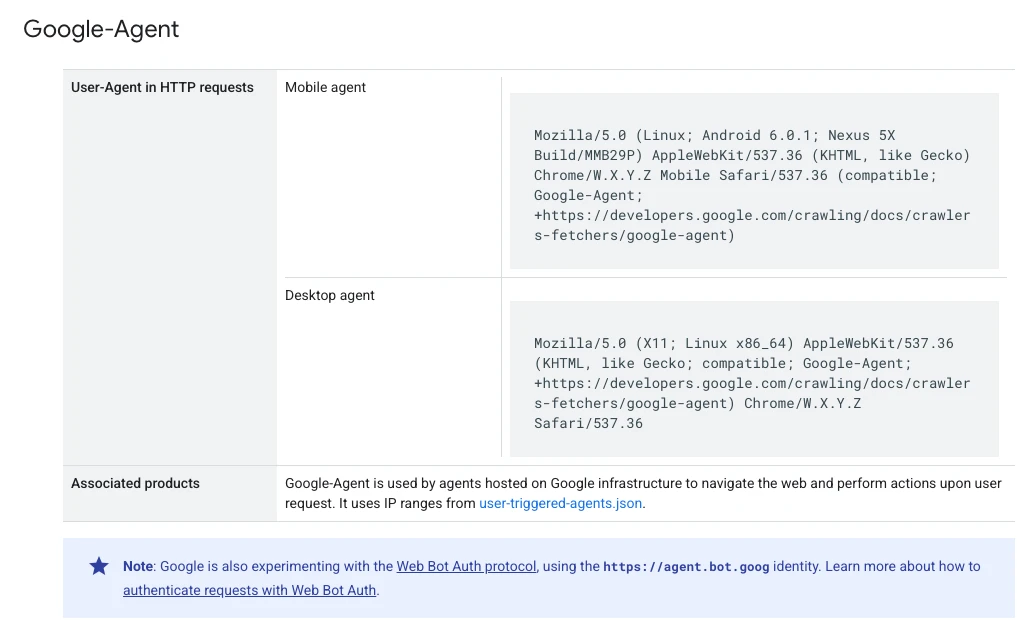
Here are the two user agent strings exactly as Google lists them. W.X.Y.Z stands for the Chrome version, which changes:
Mobile:
Mozilla/5.0 (Linux; Android 6.0.1; Nexus 5X Build/MMB29P) AppleWebKit/537.36 (KHTML, like Gecko) Chrome/W.X.Y.Z Mobile Safari/537.36 (compatible; Google-Agent; +https://developers.google.com/crawling/docs/crawlers-fetchers/google-agent)

Desktop:
Mozilla/5.0 (X11; Linux x86_64) AppleWebKit/537.36 (KHTML, like Gecko; compatible; Google-Agent; +https://developers.google.com/crawling/docs/crawlers-fetchers/google-agent) Chrome/W.X.Y.Z Safari/537.36
Google doesn't say which of its products use Google-Agent, and it doesn't call it a shopping agent. But its own troubleshooting list mentions on-site search, filters, product pages, add to cart and booking, so plan for an agent that does more than read your homepage.
Why robots.txt doesn't control it
Google-Agent is one of Google's user-triggered fetchers. Because a person asked for the visit, Google says these fetchers "generally ignore robots.txt rules".

That changes where you should look. Googlebot, which feeds Google Search and AI Overviews, still follows robots.txt. Google-Agent mostly doesn't. For agents, the real gate is your CDN, your firewall and your bot-detection rules.
Why B2B sites block it without meaning to
In our audit, only 2 of 89 readable robots.txt files blocked AI bots on purpose. But 12 of 99 sites let a normal browser in and turned away a request that named an AI bot, usually at the firewall or CDN. Half of those 12 ran on Fastly, the network behind Adobe Commerce Cloud, and 50 of the 99 sites sat behind Cloudflare.

B2B sites lean hard on bot protection for good reasons: price scraping, fake account sign-ups, quote spam. The trouble is that default bot rules were written before AI agents arrived, and nobody goes back to check them. Step 1 of our guide walks through the full crawler and firewall check.
How to allow Google-Agent

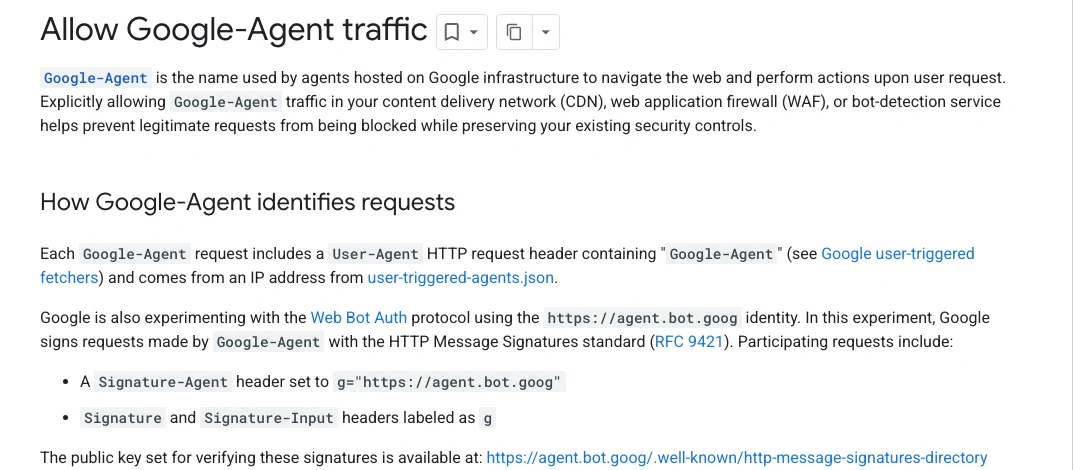
Some CDNs, firewalls and bot-detection services can verify Google-Agent for you, so check your provider's bot settings first. If yours doesn't, Google lists four rules to set up:
- Check the user agent contains
Google-Agent. - Check the IP address is on Google's user-triggered-agents.json list.
- Check the signature, if there is one. Signed requests carry Signature and Signature-Input headers for
Signature-Agent: g="https://agent.bot.goog", which you can verify under Web Bot Auth. - Skip bot challenges for requests that pass.
Matching the user agent alone isn't enough, because anyone can fake a user agent. The IP check is what makes the rule safe.
Written out as logic, the rule looks like this. It isn't the syntax of any one provider, so hand it to your developer or host to set up in your CDN or firewall:
IF   the User-Agent header contains "Google-Agent"
AND  the client IP is in Google's user-triggered-agents.json list
AND  (there is no Signature-Agent header
      OR the Web Bot Auth signature from https://agent.bot.goog verifies)
THEN skip bot challenges, CAPTCHAs and per-IP rate limits
     for every path: search, filters, product pages, cart and APIs
Six places it still gets blocked
Google's troubleshooting list is the most useful part of the page. Here it is translated for a B2B catalog:

- Rule order. Your allow rule has to run before broad data center blocks, managed bot rules and any "block AI agents" category setting, or those win.
- CAPTCHAs and JavaScript challenges. Skipping a hard block isn't enough. The rule also has to skip interactive challenges, including a CAPTCHA that only appears on search or a form.
- The whole buying path. Allow search, filters, product detail pages, add to cart and the APIs behind them (XHR, GraphQL or an api subdomain), not just the homepage. For B2B, include quick order and part number search.
- Shared IP rate limits. Many users' agents share the same Google IP addresses, so per-IP rate limits can cut them off. Exempt or raise limits for verified Google-Agent ranges.
- Out-of-date IP lists. Keep your rules in sync with Google's published list rather than copying it once.
- Proxies and load balancers. Make sure they pass along the original client IP, the user agent and the signature headers, or your firewall can't verify anything.
How to check your site in five minutes
Ask whoever manages your hosting or CDN three questions: Do we verify Google-Agent, or block it as an unknown bot? Do our challenge rules skip it? Does the allow rule cover search, filters and add to cart? Then search your server logs for Google-Agent and check those requests get a normal page back, not a 403 or a challenge. On a standard Nginx or Apache access log, your developer can run:
# Show the latest Google-Agent requests
grep "Google-Agent" /var/log/nginx/access.log | tail -n 20

# Count how many were refused with a 403
grep "Google-Agent" /var/log/nginx/access.log | grep -c '" 403 '
If your CDN blocks the request before it reaches your server, it won't appear in these logs at all, so check the CDN's firewall or security event log for Google-Agent too.
While you're there, check the other AI search crawlers too: OAI-SearchBot for ChatGPT, PerplexityBot and Claude-SearchBot. Our post on why most B2B websites are invisible to AI covers what else commonly goes wrong.
Watch: why AI picked your competitor
Letting the agents in is step one. Joe's 13-minute video walks through the seven fixes that get manufacturers and distributors named when a buyer asks AI for a part. The written version is how to rank in ChatGPT.
Frequently asked questions
What is Google-Agent?
Google-Agent is the name used by agents hosted on Google's infrastructure that browse websites and take actions when a user asks them to. Its requests carry "Google-Agent" in the user agent and come from IP addresses on Google's user-triggered-agents.json list.
Does robots.txt block Google-Agent?
Not reliably. Google-Agent is a user-triggered fetcher, and Google says these fetchers generally ignore robots.txt because a person requested the visit. Your CDN, firewall and bot rules decide whether it gets in.
Is Google-Agent the same as Googlebot?
No. Googlebot crawls the web for Google Search, including AI Overviews and AI Mode, and follows robots.txt. Google-Agent visits a page because a user asked an agent to do something.
How do I allow Google-Agent in Cloudflare or my firewall?
Check your provider's bot settings first, since some verify Google-Agent automatically. Otherwise create a rule that matches the Google-Agent user agent and Google's published IP list, verifies the signature when there is one, and skips bot challenges for matching requests. Put it above any broad bot or AI-blocking rules.
Should B2B sites allow Google-Agent?
If you want AI tools to research, compare or buy from your catalog for your customers, yes. You keep your other protections. The rule only lets verified Google-Agent requests through.
Get the full method
Google-Agent is one part of a bigger question: can AI reach, read and recommend your catalog? Our guide on how B2B brands get recommended by AI covers all seven steps, built from our audit of 99 B2B websites, with a 14-point scorecard and a 90-day plan. For the wider picture of how AI is changing shopping, read Joe's post on the new era of ecommerce. Or book a 30-minute assessment and the IWD team will check your bot settings and AI visibility for you.