
Are you trying to configure a shipping method in your eCommerce store? Here is a quick and easy way to to add, remove and configure shipping methods for different carriers in Magento 2.
Sample Store
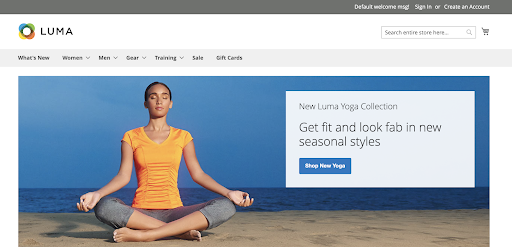
Overall Concept
Shipping configurations establish the point of origin for all shipments, your stores shipping policy and the handling of shipments to multiple addresses.
Instructions
How to Configure Shipping Methods
-
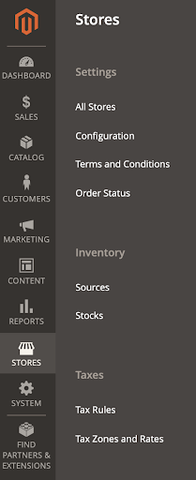
On the ADMIN sidebar, click on STORES > SETTINGS > **CONFIGURATION
**
-
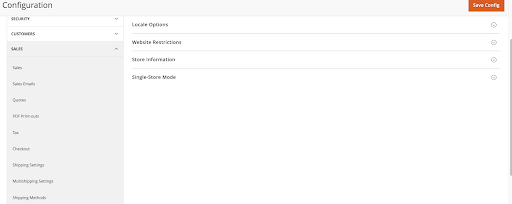
On the left hand sidebar, click the SALES dropdown, then click **SHIPPING METHODS.
**
-
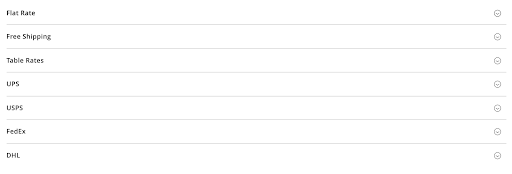
This should take you to the screen where you can configure the different shipping methods for your store.
-
Example: to configure FREE SHIPPING > Click on the FREE SHIPPING dropdown > Uncheck USE SYSTEM VALUE for any options that you would like to change.
a. Enable the shipping provider and change appropriate options.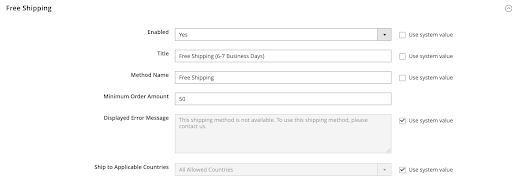
-
Click the SAVE Config button at the top.
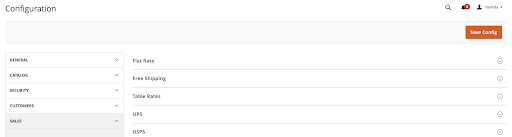
-
The shipping configurations will be shown at checkout.

