

 Partner
Acumatica ecommerce integration that keeps your store and your ERP in step.
Acumatica ecommerce works when the store shows the prices, stock, and terms you already manage in Acumatica, and every web order lands back in the ERP without retyping. For many teams the native Acumatica BigCommerce integration or Shopify connector in Commerce Edition is the right start. IWD sets it up around your rules and builds the custom work it does not cover: B2B pricing, multiple stores, custom fields, and Magento or Adobe Commerce stores, which have no native connector.
You’ll know every name on your project.
- 175+ years of combined ecommerce experience.
- Senior developers & designers, dedicated PM & CXM.
- Over a decade together for most of us. Average tenure is nine years.
- 15 people. Lean mean machine.
 Joe M.Founder & CEO
 Max D.CTO
 Marcos A.Senior Project Manager
 Yaro P.Lead Full-Stack Developer
 Bohdan B.Senior Frontend Developer
Acumatica ecommerce problems that send teams looking for help.
Acumatica holds your customers, price classes, warehouses, and terms. A native connector moves the standard records, and the gaps show up in everything else. These are the symptoms Acumatica teams describe before an integration project starts.
The connector syncs, but B2B prices are off
Orders flow through the native connector, but customer-specific prices and price classes set in Acumatica never reach company buyers, so reps correct invoices after the fact.
Custom fields stop at the connector
User-defined fields, custom screens, and extra order data your team added in Acumatica never reach the store, or never come back from it.
Several stores, one Acumatica
A second brand, a wholesale site, or a new region needs its own store, and nobody is sure how each one should post to the right branch, warehouse, or company.
Magento has no native path
A Magento or Adobe Commerce store on Acumatica runs on CSV imports or an aging extension, because Acumatica's native commerce connectors do not include Magento.
Sync errors sit unnoticed
Failed records wait in a sync log until a customer calls about a missing order, because nobody owns monitoring the integration day to day.
What Acumatica Commerce Edition connects natively, and where it stops.
Acumatica Commerce Edition includes native connectors for BigCommerce and Shopify, configured inside Acumatica. For a store with standard customers, items, and orders they are often the fastest route, and we will say so. The real questions are what your version maps, and what your business needs that it does not.
Acumatica BigCommerce connector
Commerce Edition includes a native BigCommerce connector that syncs core records such as customers, items, availability, prices, sales orders, payments, and shipments, with settings for what syncs, in which direction, and how often.
Acumatica Shopify connector
The native Shopify connector covers the same core records for Shopify and Shopify Plus stores: products and variants, customers, availability, orders, payments, refunds, and fulfillment. It is set up inside Acumatica, so store sync settings and ERP settings live in one place.
Where custom work starts
B2B pricing beyond what the connector maps, several stores routed to different branches or companies, user-defined fields and custom screens, approval or credit rules, and any Magento or Adobe Commerce store, since Acumatica has no native connector for either.
Acumatica integration on four platforms, and where the work actually sits.
Two platforms have a native Acumatica connector and two do not, and the B2B features on each one change what the integration has to carry. Here is where the work sits, and where to read more about the platform side.
Acumatica BigCommerce integration
An Acumatica BigCommerce integration usually starts with the native connector, which handles customers, items, availability, orders, payments, and shipments. BigCommerce B2B Edition company accounts, price lists, and quotes, and Multi-Storefront orders that must post to the right branch or company, are where we add mapping and API work around it.
Acumatica Shopify integration
A Shopify Acumatica integration usually starts with the native Acumatica Shopify connector. Shopify Plus B2B companies, locations, catalogs, and payment terms are where stores tend to need more, so we check what your Acumatica version maps and add a custom Shopify app or middleware for the rest.
Magento Acumatica integration
Magento Open Source has no native Acumatica connector, so a Magento Acumatica integration runs through a third-party Acumatica Magento connector, custom modules on Acumatica's REST API, or both. A connector fits standard catalogs and orders. Custom modules fit customer-specific pricing, several warehouses, and rules no connector knows, with a queued sync that survives reindexes and upgrades.
Adobe Commerce Acumatica integration
Adobe Commerce B2B adds company accounts, shared catalogs, negotiated quotes, and purchase order approvals, and each one has to land in Acumatica as the right customer, price list, and order type. With no native connector, the integration is a third-party connector, custom API work, or a mix of the two. For comparison on a different ERP, BinMaster's Adobe Commerce store runs a bi-directional Business Central sync.
Running another ERP elsewhere in the business? We also build Microsoft Dynamics ecommerce integration and Sage 100 ecommerce integration, and our ERP integration services cover Epicor, Infor, SAP, and NetSuite.
Acumatica integration work from a team with the reviews to back it.
 Adobe Solution Partner
 Shopify Plus Partner
 BigCommerce Elite Partner
 Salesforce Partner
 Klaviyo Partner







Native connector or Acumatica integration services: how to tell which you need.
The native connector is part of the product you already license, so it should be the first option on the table. Custom work earns its place only where your rules go beyond it. This is how we compare the two.
| Native Commerce Edition connector | Custom work or middleware | |
|---|---|---|
| Platforms | BigCommerce and Shopify | Any platform, including Magento and Adobe Commerce |
| Best for | Standard customers, items, prices, and orders that post the same way every time | Customer-specific B2B pricing, several stores or branches, custom fields, and approval or credit rules |
| Setup | Configured inside Acumatica, usually with your Acumatica partner | Designed with your team, built on Acumatica's APIs, and tested against real orders |
| Flexibility | The records and fields the connector supports, plus its mapping options | Any rule your business needs, written once and documented |
| Who maintains it | Acumatica and your partner, updated with Acumatica releases | IWD under a support plan, or your own team with our documentation |
| Examples from our work (other ERPs) | A packaged connector: Greytrix GUMU between Magento and Sage Intacct at Warner Press | Dynamics NAV at QC Supply and Business Central at BinMaster |
Many projects use both. At Warner Press, a Magento store on Sage Intacct (a different ERP), a third-party connector syncs customers and orders, and we extended the payment integration so full transaction detail reaches the ERP for reconciliation.
How Acumatica exposes its data to the storefront.
When the native connector is not enough, or there is no native connector at all, the integration talks to Acumatica directly through its supported interfaces, never the database. We choose the right one for each record.
Contract-based REST API
Versioned REST endpoints for customers, stock items, sales orders, shipments, and payments, which can be extended to include your custom fields. This is where writes such as new web orders and new customers belong.
OData for generic inquiries
Generic inquiries can be published over OData, which suits fast, read-heavy pulls such as price lists, customer pricing, or availability across warehouses.
Push notifications
Acumatica can notify an outside system when records in a query change, so the store hears about stock or order updates instead of polling for them.
The Acumatica records we map before anything is built.
Each record gets an owner, a direction, a timing, and an error rule, whether it moves through the native connector or custom work.
Customers, locations, and terms
Acumatica customers and their locations mapped to storefront accounts and B2B companies, with credit limits, payment terms, and tax settings carried through.
Price lists and customer pricing
Base prices, customer price classes, and customer-specific prices shown to each buyer, so the web price matches the invoice.
Items, matrix items, and warehouses
Stock items, matrix items with their attributes, and availability by warehouse, synced on a schedule that fits your order volume.
Sales orders and payments back to Acumatica
Web orders posted as the right Acumatica order type with payment, tax, freight, and PO numbers intact.
Shipments, invoices, and order history
Shipment tracking, invoices, and order history returned to the customer account, so buyers can answer their own status questions.
Monitoring and support
Logging, retries, and alerts so a failed sync surfaces before a customer notices, plus support through each Acumatica release.
An Acumatica customer portal inside your store, or beside it.
Acumatica offers its own customer portal for self-service documents and payments, and for customers who mainly need invoices and statements it can be enough. When buyers also need your full catalog, search, their own prices, and fast reordering, the portal belongs in the storefront with Acumatica data behind it. That is B2B portal development.
Their price at login
Customer-specific prices and price classes from Acumatica shown on every product page and in the cart.
Order history and quick reorder
Past orders from Acumatica, not only web orders, with reorder and quick order by SKU.
Invoices, balances, and shipments
Open invoices, balances, and tracking returned from Acumatica, so buyers stop calling for status.
Company accounts and buyer roles
Buyers, approvers, and spending limits per company, mapped to Acumatica customers and contacts.
QC Supply's B2B Pro Portal, which we built on Microsoft Dynamics NAV rather than Acumatica, shows the pattern: company accounts, sub-accounts, role permissions, and ERP-driven tiered pricing. Building the wider store too? See our B2B ecommerce development work.
An Acumatica integration partner that stays after launch.
Same senior team from kickoff to launch and beyond. We do not outsource, we do not disappear after go-live, and we do not hand you off.
Across every phase. Discovery, build, launch, and growth, the same senior team stays with you.
ERP integrations we have built on other systems.
Our team has worked on Acumatica integrations. These public case studies show the same connector and custom work on other ERPs: QC Supply on Microsoft Dynamics NAV, BinMaster on Microsoft Business Central, and Warner Press on Sage Intacct through a third-party connector.
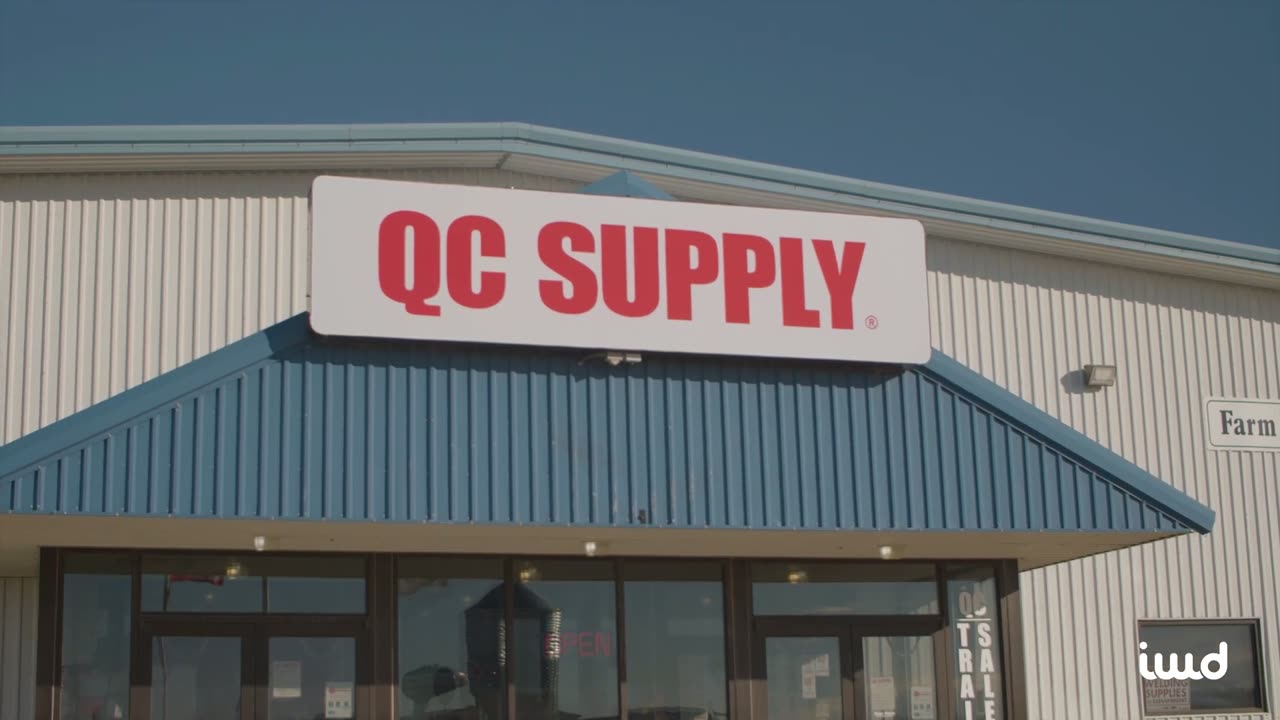
QC Supply
A headless Adobe Commerce B2B platform we built on Microsoft Dynamics NAV for a farm and ranch retailer with B2B Pro accounts.

BinMaster
An Adobe Commerce rebuild for a global level-measurement manufacturer, with a modernized storefront and integrations.

Warner Press
A Magento store for a publisher, integrated with Sage ERP via Greytrix and PayFabric payments.

Our job is to get you promoted.
You're going to love coming to work. Think of us as an extension of your team, here whenever you need us. Our mission is simple: your store wins, and so do you.
One team for the storefront and the Acumatica connection.
Acumatica integration problems usually sit between the store and the ERP partner: a connector setting nobody owns, or a B2B rule the connector cannot see. IWD builds the storefront and the integration, and works alongside your Acumatica partner, so one team is accountable for an order getting from cart to invoice.
Acumatica experience on the team
Our team has worked on Acumatica integrations. Every integration starts with a review of what your Acumatica version exposes.
Native connector first
If the Commerce Edition connector covers you, we configure around it rather than replace it. Custom work is for the rules that need it.
Magento and Adobe Commerce too
We build on the platforms Acumatica has no native connector for, so a Magento or Adobe Commerce store is not left on spreadsheets.
B2B pricing and terms
Customer price classes, customer-specific prices, and terms are where Acumatica integrations get hard, and they are the core of our B2B practice.
An Acumatica integration that starts with what Acumatica already does.
Price classes, branches, warehouses, and order types differ in every Acumatica tenant. Agreeing on them first, and on what the native connector already handles, is what keeps the integration quiet after launch.
Assess
A 30-minute call on your Acumatica version and edition, your storefront, and what has to sync. If the native connector covers it, we tell you.
Map
We document which system owns customers, items, prices, and stock, which flows run through the connector and which need API work, and how errors are handled, with your Acumatica partner.
Build and test
We configure the connector, build the custom app, modules, or middleware around it, then run real orders for each customer type, payment method, warehouse, and store.
Go live and support
We switch on live sync, watch the first weeks of orders, and support the integration through Acumatica releases, new stores, and catalog changes.
What teams ask before connecting their store to Acumatica.
The questions we hear most on the first call. If yours isn't here, just ask.
Does Acumatica have a native BigCommerce integration?
Yes. Acumatica Commerce Edition includes a native BigCommerce connector that syncs core records such as customers, items, availability, orders, payments, and shipments. It is a good fit for standard stores. We help when BigCommerce B2B Edition pricing, several storefronts, or custom fields need more than it maps.
Is the Acumatica Shopify connector enough for Shopify Plus B2B?
Sometimes. The native connector handles the core store records. Shopify Plus B2B companies, catalogs, and payment terms need a closer look at what your Acumatica version maps, and where it stops we add a custom Shopify app or middleware.
Is there an Acumatica Magento connector?
Not a native one. Acumatica's Commerce Edition connectors cover BigCommerce and Shopify, so an Acumatica Magento integration, or one for Adobe Commerce, needs a third-party connector or custom work on Acumatica's REST API. We compare both with you: a connector for standard records, custom modules for the pricing, warehouses, and rules it cannot handle.
What do your Acumatica integration services include?
Connector setup and review, data mapping, B2B pricing and terms, custom fields, multi-store routing, custom apps, modules, or middleware on Acumatica's APIs, testing with real orders, and monitoring and support after launch.
Which Acumatica APIs does a custom integration use?
Usually the contract-based REST API for writes such as new orders and customers, generic inquiries published over OData for fast reads such as prices and availability, and push notifications so the store hears about changes without constant polling. We agree on each one with your Acumatica partner.
Has your team worked on Acumatica integrations before?
Yes, our team has worked on Acumatica integrations. Our public case studies are on other ERPs: Dynamics NAV at QC Supply, Business Central at BinMaster, and Sage Intacct at Warner Press.
Can our store show the prices and terms we set in Acumatica?
Yes. Base prices, customer price classes, customer-specific prices, payment terms, and credit limits can drive what each buyer sees and how they pay, so the online price matches the invoice. Large price lists are usually synced on a schedule, with live lookups where a customer's price changes often.
Do you support the integration after launch?
Yes. Acumatica releases, connector updates, new stores, and new price rules all touch the integration. We provide ongoing monitoring and support alongside the rest of your store.
Tell us which store you run on Acumatica and where the sync falls short.
Send us your storefront platform, your Acumatica version, whether you use the native connector, and the work your team still does by hand. We will come back within one business day with an honest read on the right approach.