

 Partner
Epicor ecommerce integration that puts your ERP pricing and stock in front of buyers.
Epicor ecommerce integration should let your store show each buyer the price, stock, and terms that Epicor already holds, and send every web order back to the ERP without anyone typing it. IWD plans and builds that Epicor integration for Magento, Adobe Commerce, Shopify, and BigCommerce stores, whether you run Epicor Kinetic in manufacturing or Prophet 21 in distribution, including the B2B rules a packaged connector leaves out.
You’ll know every name on your project.
- 175+ years of combined ecommerce experience.
- Senior developers & designers, dedicated PM & CXM.
- Over a decade together for most of us. Average tenure is nine years.
- 15 people. Lean mean machine.
 Joe M.Founder & CEO
 Max D.CTO
 Marcos A.Senior Project Manager
 Yaro P.Lead Full-Stack Developer
 Bohdan B.Senior Frontend Developer
Epicor ecommerce problems we hear about on the first call.
Epicor is where the real business rules live: price lists, customer terms, warehouses, and lead times. When the storefront does not read those rules, your team fills the gap by hand. These are the symptoms Epicor teams describe before an integration project starts.
Web orders are rekeyed into Epicor
Orders arrive by email or export and someone enters them as Epicor sales orders each morning, so rush orders wait for a person and every typo reaches the shop floor or the warehouse.
Contract pricing never reaches the store
Customer price lists, quantity breaks, and contract prices are maintained in Epicor, but buyers see list price online and phone their rep for the number they were quoted.
Stock and lead times are a guess
Availability syncs once a night, or only for one warehouse, so the store promises parts that are already allocated and lead times production cannot meet.
Order status lives only in the ERP
Customers cannot see shipments, tracking, invoices, or open balances in their account, so inside sales answers the same status questions all day.
An old integration nobody wants to touch
A custom connection written against an older Epicor version still runs, but nobody knows exactly what it does, and the move to Kinetic or the cloud keeps slipping because of it.
Kinetic, Prophet 21, or another Epicor ERP: the product decides how you connect.
Epicor sells several ERPs, and they expose data in different ways. An Epicor Kinetic ecommerce store for a manufacturer and a Prophet 21 store for a distributor follow different integration paths, so we confirm the product, the version, and the hosting before recommending anything.
Epicor Kinetic integration
Kinetic, formerly Epicor ERP, is Epicor's flagship ERP for manufacturers, run in the cloud or on-premise. It exposes its business objects as REST services, and BAQs (Business Activity Queries) can be published as REST endpoints, which is often the cleanest way to read prices, availability, or customer data in exactly the shape the store needs. Custom logic can be packaged as Epicor Functions and called over the same REST layer, so the storefront never writes to the database directly.
Prophet 21 ecommerce
Prophet 21 (P21) is Epicor's ERP for distributors, where contract pricing, customer-specific pricing, ship-to addresses, and branch availability drive almost every order. P21 exposes its data through its own APIs, typically hosted on a P21 middleware server, and that layer is where a P21 ecommerce integration reads customers, items, prices, and stock and posts web orders back.
Eclipse, BisTrack, and other Epicor ERPs
Epicor also sells industry ERPs such as Eclipse for distributors and BisTrack for lumber and building materials suppliers. Each one exposes data differently, so we confirm on the first call what your product, version, and hosting allow, and say plainly what connecting it would take.
Epicor integration for Magento, Adobe Commerce, Shopify, and BigCommerce, each with its own rules.
The same Epicor setup behaves differently behind each storefront. Here is where the work sits on each platform, and where to read more about the platform side.
Epicor Magento integration
Magento Open Source gives full control of the code, so Epicor customer groups, price lists, and checkout rules can live in custom modules rather than inside a connector's limits. To connect Epicor ERP to Magento reliably, we queue the sync so reindexes, upgrades, and traffic peaks never drop an order, and keep Multi-Source Inventory aligned with Epicor warehouses. The same design lets you sync Magento with Epicor on a different schedule for each record.
Adobe Commerce Epicor integration
Adobe Commerce B2B adds company accounts, shared catalogs, negotiated quotes, and purchase order approvals, and each one has to land in Epicor as the right customer, price list, quote, or sales order. We keep that mapping documented and outside the storefront theme, so Adobe Commerce upgrades and Epicor updates do not collide. For comparison on other ERPs, DMC's Adobe Commerce B2B platform runs on Infor SyteLine, and BinMaster's Adobe Commerce store runs a bi-directional Business Central sync.
Epicor Shopify integration
Shopify Plus B2B brings companies, locations, catalogs, and payment terms, which need clean mapping to Epicor customers, ship-to addresses, and price lists. A Shopify Epicor integration runs through Shopify's Admin API and webhooks within its rate limits, so we batch catalog and price updates, pick up new orders within minutes, and put any logic Shopify lacks in a custom app.
BigCommerce Epicor integration
BigCommerce B2B Edition customer groups, price lists, company accounts, and quotes need to line up with Epicor customers and pricing, and Multi-Storefront orders have to post to the right Epicor company or site. A BigCommerce Epicor integration is mostly that routing, plus the API work that keeps both systems in agreement.
Running another ERP elsewhere in the business? We also build Microsoft Dynamics ecommerce integration and Sage 100 ecommerce integration, and our ERP integration services cover Infor, SAP, Acumatica, and NetSuite.
Epicor integration work from a team with the reviews to back it.
 Adobe Solution Partner
 Shopify Plus Partner
 BigCommerce Elite Partner
 Salesforce Partner
 Klaviyo Partner







Epicor Commerce Connect vs a custom integration, and how to tell which one fits.
Epicor Commerce Connect (ECC) is Epicor's own packaged commerce product, sold and supported through Epicor. For some companies it is the right answer. Others want a storefront platform of their own choosing, or have rules the package does not cover. This is how we compare the two on a first call.
| Epicor Commerce Connect | Custom integration (API or middleware) | |
|---|---|---|
| Best for | Companies happy to run the storefront Epicor supports, with standard customers, pricing, and orders | Teams that want Magento, Adobe Commerce, Shopify, or BigCommerce, or whose pricing, terms, and fulfillment rules are specific to the business |
| Storefront | The storefront and B2B features that come with the package | The platform you choose, with its full B2B feature set and app ecosystem |
| Flexibility | The mappings and flows the product supports, plus its configuration options | Any rule your business needs, written once and documented |
| Epicor updates | Handled as part of the Epicor product and its release schedule | Built on Epicor's supported REST services and retested when Epicor updates |
| Who supports it | Epicor and your Epicor partner, under Epicor licensing | IWD under a support plan, or your own team with our documentation |
There is a middle path too: an integration platform or connector for standard records, with custom code for the rules that make your business different. The choice matters on any ERP. At DMC, an aerospace tooling manufacturer on Infor SyteLine (a different ERP), the original spec called for a generic integration platform, but DMC's flows were too tightly tied to SyteLine, so its integration runs directly against the SyteLine IDO REST API, in both directions, with no generic middleware in between.
A typical Epicor sync plan, agreed record by record before anything is built.
This is the starting plan we put in front of most Epicor teams. It is a typical plan, not a fixed one: timing changes with catalog size, order volume, and how often your prices move.
| Record | Direction | Typical timing |
|---|---|---|
| Products, parts, and units of measure | Epicor to store | Nightly, plus an on-demand push when a new part is released |
| Price lists and contract pricing | Epicor to store | Nightly, with live lookups for specific customers or large quantities |
| Customers, ship-to addresses, and terms | Epicor to store, new web accounts back to Epicor | Daily, with new registrations sent to Epicor as they happen |
| Inventory and availability by warehouse | Epicor to store | Near real time, or every few minutes for large catalogs |
| Web orders | Store to Epicor | Near real time, posted as sales orders within minutes of checkout |
| Shipments, tracking, and invoices | Epicor to store | As they post in Epicor, returned to the customer account |
Each record also gets an owner and an error rule: what happens when Epicor is unavailable, when a part number does not match, or when a customer has no price. Building a B2B storefront around Epicor data? Our B2B ecommerce development team designs company accounts, quotes, and reorder flows around it from the start.
A B2B portal for Epicor customers that shows their real account.
Manufacturers and distributors on Epicor often want more than a store: a portal where each customer logs in to their own prices, orders, and invoices. That is B2B portal development, built on the storefront platform with Epicor data behind it.
Their price, not list price
Contract and customer-specific prices from Epicor shown at login, on every product page, and in the cart.
Order history and fast reorder
Past orders from Epicor, not only web orders, so buyers can reorder what they bought by phone in a few clicks.
Invoices, balances, and shipments
Open invoices, balances, and tracking returned from Epicor, so buyers stop calling for status.
Their own part numbers
Buyers can search by their own part numbers where Epicor holds customer part cross-references, with company accounts and buyer roles on top.
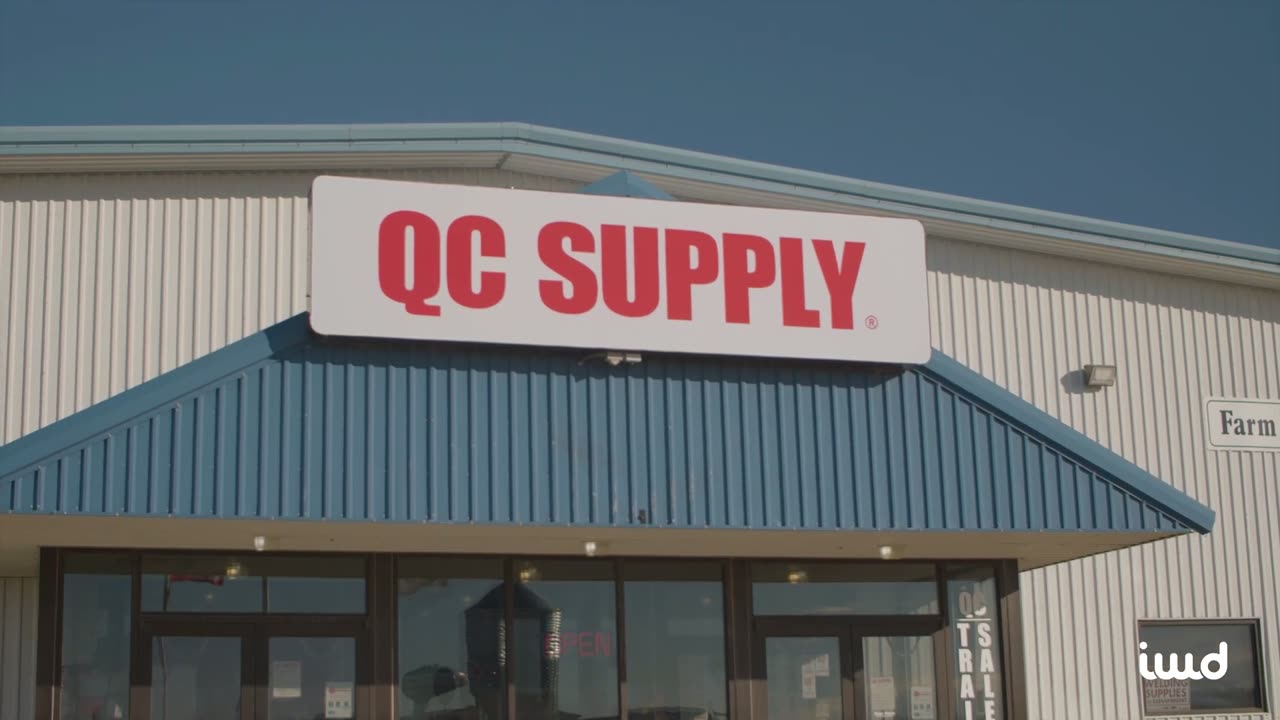
QC Supply's B2B Pro Portal, which we built on Microsoft Dynamics NAV rather than Epicor, shows the pattern: company accounts, sub-accounts, role permissions, and ERP-driven tiered pricing in one headless Adobe Commerce storefront.
An Epicor integration partner that stays after launch.
Same senior team from kickoff to launch and beyond. We do not outsource, we do not disappear after go-live, and we do not hand you off.
Across every phase. Discovery, build, launch, and growth, the same senior team stays with you.
Proof from ERP integrations we have built on other systems.
Our team has worked on Epicor integrations. These public case studies show the same pricing, inventory, and order work on other ERPs: DMC on Infor SyteLine, QC Supply on Microsoft Dynamics NAV, and BinMaster on Microsoft Business Central.

DMC
An Adobe Commerce storefront with deep catalog and inventory integration for an aerospace and defense tooling manufacturer.
QC Supply
A headless Adobe Commerce B2B platform we built on Microsoft Dynamics NAV for a farm and ranch retailer with B2B Pro accounts.

BinMaster
An Adobe Commerce rebuild for a global level-measurement manufacturer, with a modernized storefront and integrations.

Our job is to get you promoted.
You're going to love coming to work. Think of us as an extension of your team, here whenever you need us. Our mission is simple: your store wins, and so do you.
One team for the storefront and the Epicor connection.
Most Epicor integration problems sit between two vendors: the agency that built the store and the partner that runs Epicor. IWD builds the storefront and the integration, and works alongside your Epicor partner, so one team is accountable for an order getting from cart to Epicor sales order to invoice.
Epicor experience on the team
Our team has worked on Epicor integrations, and our public case studies show the same pricing, inventory, and order work on Infor SyteLine, Dynamics NAV, and Business Central.
Your platform, your rules
We build on Magento, Adobe Commerce, Shopify, and BigCommerce, so the storefront follows your business rather than the limits of a package.
B2B pricing done properly
Contract pricing, customer price lists, and terms are the hard part of an Epicor integration and the core of our B2B practice.
Honest scoping
If Epicor Commerce Connect or a pre-built connector covers you, we recommend it. Custom work is for the rules that need it.
An Epicor integration mapped with operations and finance before the code.
Price lists, part numbers, sites, and order types differ in every Epicor company. Agreeing on them first is what keeps the integration quiet after launch.
Assess
A 30-minute call on your Epicor product and version, cloud or on-premise hosting, your storefront, and what has to sync. If Epicor Commerce Connect or a pre-built connector fits, we tell you.
Map
We document which system owns customers, parts, prices, and stock, which REST services or BAQs each flow uses, and what happens on errors, with your team and your Epicor partner.
Build and test
We build the storefront modules and middleware, agree any BAQs or Epicor Functions with your Epicor partner, then run real sample orders for each customer type, payment method, warehouse, and shipping path.
Go live and support
We switch on live sync, watch the first weeks of orders, and support the integration through Epicor updates, new warehouses, and catalog changes.
What teams ask before connecting their store to Epicor.
The questions we hear most on the first call. If yours isn't here, just ask.
Should we use Epicor Commerce Connect or a custom integration?
Epicor Commerce Connect makes sense when you are happy with the storefront Epicor supports and your customers, pricing, and orders are standard. A custom integration makes sense when you want Magento, Adobe Commerce, Shopify, or BigCommerce, or when contract pricing, terms, warehouses, or approval rules go beyond what the package maps. We compare both honestly on the first call.
What is the right Magento Epicor integration solution?
It depends on your Epicor product and how specific your rules are. The options are Epicor Commerce Connect, a pre-built connector or integration platform, or custom Magento modules that talk to Epicor's REST services through a queued middleware layer. Many projects combine a connector for standard records with custom code for pricing and terms.
Can Shopify or BigCommerce connect to Epicor?
Yes. A Shopify or BigCommerce store can read Epicor customers, prices, and stock, and post orders back, through Epicor's REST services or a middleware layer. Shopify Plus B2B and BigCommerce B2B Edition add companies, price lists, and terms that need careful mapping to Epicor customers and ship-to addresses.
How does an integration read data from Epicor Kinetic?
Through Epicor's supported interfaces rather than the database. Kinetic exposes business objects as REST services, BAQs can be published as REST endpoints for reads shaped to the store, and Epicor Functions can wrap custom logic. We agree which ones to use with your Epicor partner during mapping.
Can you build ecommerce for Prophet 21 distributors?
Yes. Prophet 21 ecommerce usually centers on contract and customer-specific pricing, ship-to addresses, branch availability, and fast reordering. The integration runs through P21's APIs and middleware layer, and the storefront is designed around how your customers actually reorder.
Has your team worked on Epicor integrations before?
Yes, our team has worked on Epicor integrations. Our public case studies are on other ERPs, including Infor SyteLine at DMC, Dynamics NAV at QC Supply, and Business Central at BinMaster, and they cover the same customers, pricing, inventory, and orders. On the first call we walk through how we would connect your Epicor setup, so you can judge the plan yourself.
Can you build a B2B portal for Epicor customers?
Yes. A B2B portal on Magento, Adobe Commerce, Shopify, or BigCommerce can show each customer their Epicor prices, order history, invoices, balances, and shipments, with company accounts and buyer roles on top. We design the portal with the integration, so the two agree from launch.
Do you support the integration after launch?
Yes. Epicor updates, new price lists, new warehouses, and catalog changes all touch the integration. We provide ongoing monitoring and support alongside the rest of your store.
Tell us which Epicor product you run and what your team still keys in by hand.
Send us your storefront platform, your Epicor product and version, and the work your team repeats every day. We will come back within one business day with an honest read on the right approach.