

 Partner

Last updated: November 12, 2026 · 20 min read · By Joe McFerrin, CEO of IWD Agency
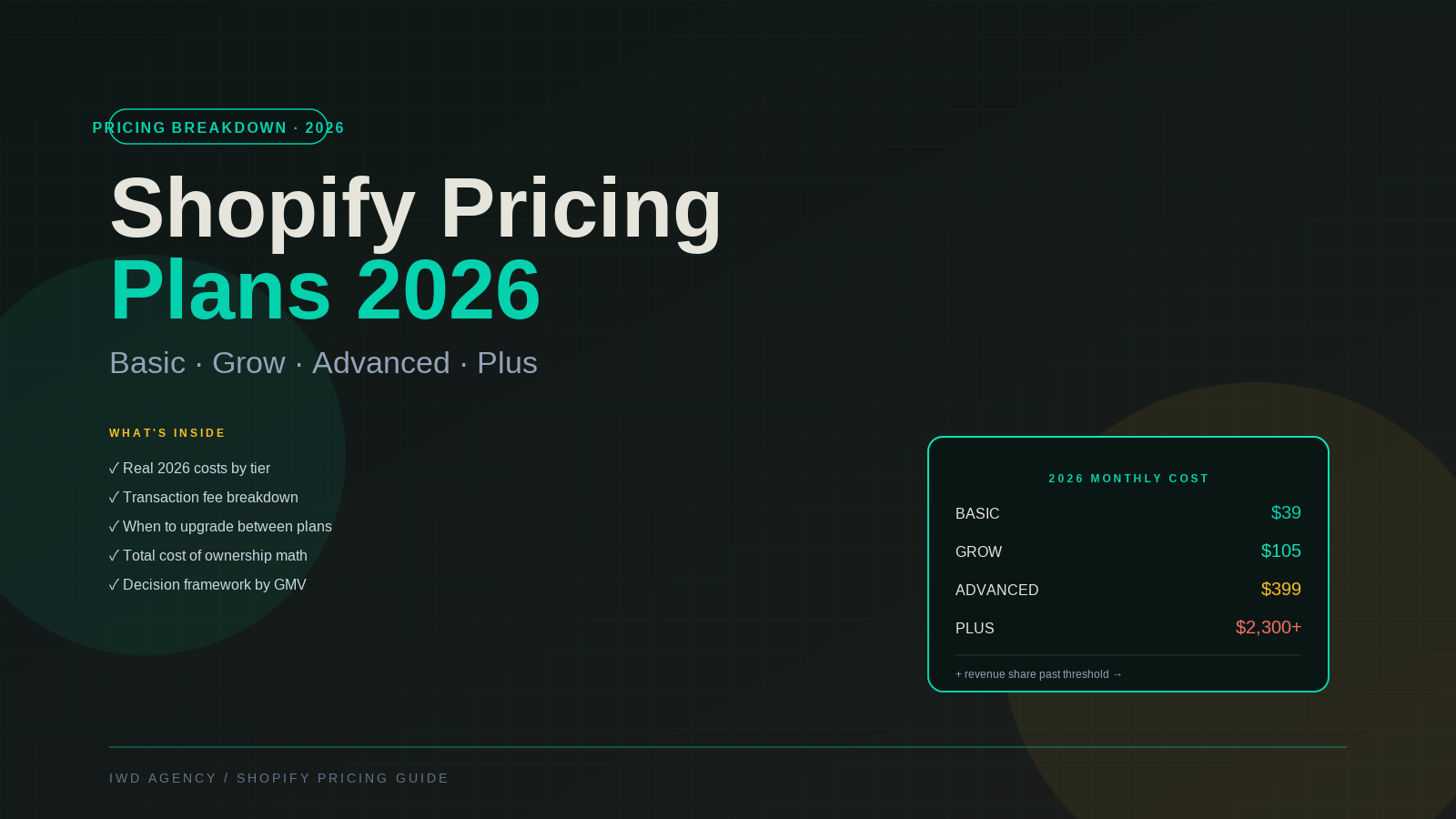
Shopify offers four pricing plans in 2026: Basic ($39/mo), Grow ($105/mo), Advanced ($399/mo), and Plus (starting at $2,300/mo). This guide is the complete breakdown: real transaction fees, feature differences, total cost of ownership, when to upgrade between tiers, and the decision framework for picking the right plan for your store. Updated for 2026 pricing.
Jump to: Plus pricing · Lower-tier plans · 4 hidden costs · 15 reasons Plus is worth it · Decision framework · FAQ
Over the last 18+ years, Shopify has become one of the most popular eCommerce platforms on the planet.
And as Shopify Plus experts, we've enjoyed building, upgrading, and marketing websites on this platform for over a decade. We've migrated brands to Plus, scaled them through 8-figure GMV, and helped them weigh Plus against alternatives like Adobe Commerce and BigCommerce.
In 2014, Shopify debuted a more solid, enterprise-level option for companies that need even more from their websites.
Since then, Shopify Plus has gained widespread enterprise adoption with more than 1.7 million companies relying on the broader Shopify platform, including household names like Staples, Heinz, Gymshark, and Blenders Eyewear running on Plus.
So, before you get too far in your decision-making process, let's answer two very important questions:
How much is Shopify Plus in 2026 and is it worth it?
Let's start with the first one.
How Much Does Shopify Plus Cost in 2026?
A Shopify Plus license starts at $2,300/month on a 3-year term, or $2,500/month on a 1-year term. Pricing was updated in early 2024 from the legacy $2,000/month figure that's still referenced in older articles across the web.
The price can vary with your revenue and business model, but the cost of Shopify Plus begins at $2,300 a month on a 3-year contract.
That's obviously a significant commitment.
But it can cost more depending on your company's monthly online revenue.
That's because Shopify can add a variable platform fee for more complex, higher-volume businesses. Shopify says the fee is based on your revenue and business model, and that it differs for B2B and direct-to-consumer orders. It does not publish the revenue level where the fee starts, so the Plus sales team quotes it.
Many older articles quote a formula of 0.25% of sales above $800,000 a month, capped at $40,000 a month. That formula is not on any current Shopify pricing page, so treat it as history and get the real number for your store in writing before you sign.
Again, this overhead is one of the main reasons Shopify Plus is meant for online companies with serious monthly GMV. At that scale, the platform fee is a small fraction of total cost.
If you are budgeting, plan around the flat fee, then ask Shopify what the variable fee would be at your projected revenue for each year of the term.
Other Shopify Levels That Cost Less
If the price of Shopify Plus is currently out of your budget, here are your other options for this platform in 2026, including their monthly costs and what kinds of companies Shopify recommends them for:
- Shopify Basic: $39/month, "Best for new ecommerce businesses with occasional in-person sales."
- Shopify Grow: $105/month, "Best for growing businesses selling online or in-store." (Replaced the legacy 'Shopify' middle tier in 2024.)
- Shopify Advanced: $399/month, "Best for scaling businesses that require advanced reporting and international shipping."
So, if you're a growing business that's not quite at the enterprise level yet, you may want to use Shopify Advanced until your budget can handle the $2,300/month Plus entry point.
| Feature | Basic ($39) | Grow ($105) | Advanced ($399) | Plus ($2,300+) |
|---|---|---|---|---|
| Staff accounts | Owner only | 5 | 15 | Unlimited |
| Online card rate, US (Shopify Payments) | 2.9% + $0.30 | 2.7% + $0.30 | 2.5% + $0.30 | From 2.25% + $0.30 |
| 3rd-party gateway extra fee | 2.0% | 1.0% | 0.6% | 0.2% |
| Reports and custom analytics | ✓ | ✓ | ✓ | ✓ |
| Inventory locations | 10 | 10 | 10 | 200 |
| Live third-party shipping rates | No | No | ✓ | ✓ |
| B2B companies, catalogs, net terms | ✓ | ✓ | ✓ | ✓ |
| B2B catalogs per company, no catalog limit | No | No | No | ✓ |
| Shopify Functions via App Store apps | ✓ | ✓ | ✓ | ✓ |
| Shopify Functions in custom apps | No | No | No | ✓ |
| Checkout UI Extensions (information, shipping, payment steps) | No | No | No | ✓ |
| Shopify Flow | ✓ | ✓ | ✓ | ✓ |
| Free expansion stores | No | No | No | Up to 9 |
| Dedicated rep | No | No | No | ✓ |
| GMV bracket fit | <1M | 1–3M | 3–10M | 5M+ |
4 Other Shopify Plus Costs to Consider
Budgeting for the monthly cost of your Shopify Plus license is just the beginning, though. If you want your store to reach its full potential, you’ll need to budget for four other costs, too.
Here are the big four to keep in mind.
1. Credit Card Processing and Transaction Fees for Shopify
Shopify Plus comes with Shopify Payments, which can handle all of your credit card processing needs.
If you use Shopify Payments, you pay the card processing rate (on Plus in the US, online card rates start at 2.25% + 30¢) and no extra Shopify transaction fee, no matter how many sales you make. That matters at Plus volume, more on that in a moment.
On the other hand, if you decide to go with a third-party payment processor, Shopify adds 0.2% to every transaction, on top of your processor’s own fees.
Nonetheless, this is still a pretty good deal compared to the 0.6% business owners pay on Shopify Advanced, or the 2% on Basic.
2. The Price of Apps for Added Functionality
While Shopify Plus is an incredibly solid eCommerce platform, your company is still unique and probably has its own unique needs. Chances are that no platform would ever be able to support every specific requirement your business has.
That’s where Shopify’s app store comes in.
These apps can help your site with a wide range of goals, including:
- Search Engine Optimization
- Social Media
- Product Reviews
- Upselling
- Loyalty Programs
The prices for these apps range from absolutely nothing all the way up to $500.
I’d say about half of them in any of the aforementioned categories are free, but even the paid versions usually offer some kind of free trial, so you can get a sense of what kind of ROI you can expect before paying for them.
If you’re curious about some of the better options available, we’ve put together a list of the best Shopify apps on the market.
In fact, at IWD we’ve built one of our own: a Shopify store locator app for those companies that have online and IRL locations.
We also have a checkout extension for Shopify that will connect your site to 120+ payment gateways, help improve conversions, and much more.
3. The Rates for Help from Qualified Shopify Developers, SEOS, UX Experts, and More
Shopify is famous for being user-friendly, but unless all your company needs is a basic eCommerce site with little more than product pages, you’re going to want to work with an experienced agency.
The right agency will have more than just qualified developers who can build your site, install and configure the plugins and extensions it needs, and create custom solutions.
Unless you already employ the right specialists, you’ll want an agency that also employs experienced professionals who can do things like improve your site’s UX (User Experience), increase your Shopify conversion rate, and do Shopify SEO that will bring in more traffic.
4. Maintenance for Your Shopify Plus Site
Finally, just like a house, building it is only the beginning. You have to take care to maintain and uphold it, too, or that initial investment is going to result in a major loss.
So, be sure to budget for maintaining your Shopify website, as well.
Depending on what your staff can handle on their own, maintaining your Shopify website may entail:
- Adding and altering Google Tags
- Fixing 404 pages
- Addressing issues that are hurting your site speed
- Conduct A/B testing to assess the best changes to make
- Change and update code
- Back up your store
- Remove outdated inventory
The list of potential maintenance tasks is endless. A precise list for your company will depend on your business, but whatever the case, your budget will have to include funds for the kinds of tasks your site will require every month.
Alright, now that you have a better idea of how much a Shopify Plus site will cost, let’s find out if that price tag is worth it for your business.
Is Shopify Plus Worth the Price? 15 Reasons to Make the Switch to Shopify Plus
With all that said, is Shopify Plus worth it?
The answer comes down to whether or not the added features Shopify Plus offers are worth the steep increase in price.
So, now let’s cover the 15 main reasons so many companies have decided Shopify Plus is well worth the price.
1. Shopify Plus Can Support 10,000+ Orders a Minute for Your Online Store
The first reason so many successful companies trust Shopify Plus is that this platform can handle an insane number of transactions compared to the standard version.
I'm talking about more than 10,000 transactions A MINUTE!
If you're seeing those kinds of sales, you just can't settle for a lesser platform. Imagine going to all the trouble to earn that kind of business only to find out your site can’t handle it.
This will never be a problem with Shopify Plus.
Every Shopify plan also includes unlimited bandwidth with no bandwidth fees, so a traffic spike won’t bring a surprise hosting bill.
2. The Pricing Covers Unlimited Staff Accounts for Your Shopify Store
The second reason so many companies love Shopify Plus is that there's no ceiling on the number of staff accounts they can create.
Once again, for a small company, this might not seem like a big deal.
However, if you're scaling up or it's just been a while since you outgrew your current eCommerce platform, this kind of freedom is going to make a massive difference.
Being able to quickly add professionals to your account whenever you want so they can get to work ASAP is SO much better than going through the grueling process of requesting, and paying for, new accounts again and again.
3. Shopify Flow, With Extras on Plus
Speaking of your staff, building a successful website can be tough with a large team. All those people usually come with an equally large number of tasks, which makes it almost inevitable that some of them will slip through the cracks.
Shopify Flow will help to ensure this doesn’t happen. Flow is a free app on the Basic, Grow, Advanced, and Plus plans, so it isn’t a reason on its own to upgrade. What Plus adds is the ability to use Flow tasks created by custom partner apps, plus the higher usage limits that come with its higher API limits.
This automation tool will make it easy to create, manage, and then automate workflows for the kinds of important tasks a successful eCommerce website depends on.
To give you an idea of what Flow can do, here are some examples of important tasks merchants regularly create:
-
Modifying product tags based on customers’ purchases and inventory level
-
Creating triggered actions when high-risk orders are made
-
Assigning tags to customers when their value increases so you can work to increase loyalty
-
Relisting products when they’re back in stock
-
Sending personalized notifications to customers based on specific account behaviors or orders
Flow also provides the kind of flexibility that a growing eCommerce enterprise must have to stay productive and manage overhead while continuing to scale.
And, recently, Shopify released pre-built templates that will make it even easier for you and your team to set up automated workflows.
4. Shopify Plus Lets You Monitor Page Activity Among Team Members
Another issue that can stop otherwise effective teams from creating equally effective websites is when more than one person is trying to work on the same webpage at the same time.
This is when collaboration can create more problems than it solves.
And during COVID-19, when remote work skyrocketed, this kind of problem happened all the time. One team member would work on a page without knowing one of their teammates was making changes at the same time. Inevitably, someone would lose their work when the other one hit save.
With Shopify Plus, you’ll receive alerts whenever one of your teammates is working on the same product page you are. If they make any changes and hit save, once again, you’ll receive a notification.
5. Shopify Plus Comes with the Launchpad Tool
A big part of optimizing your eCommerce company’s yearly sales is knowing how and when to launch sales and products.
This is a whole lot easier to do when you have Shopify’s Launchpad tool, an app that is only available to users of Shopify Plus.
It’s designed so that you can quickly set up and track sales and product launches whenever you want. Decide when you’d like these events to start and stop, which will affect the price of your products, collections, or sale items.
You can even use Launchpad to coordinate theme changes whenever these events take place, an amazing option for running seasonal sales or launching campaigns with specific branding.
Launchpad will even give you a specific analytics dashboard that you can use to track the performance for these kinds of important events in real-time.
6. Create Customized Checkout Pages for Your Shopify Site
No page on an eCommerce website is as important as your checkout page.
After all, if it doesn’t do its job, what does it matter if the other pages do?
And yet, countless companies entrust this crucial last step of their eCommerce funnel to default options that lead to low conversions and high abandonment rates.
Every plan from Basic up gets Shopify’s checkout editor for branding and layout, plus eligible apps on the Thank you and Order status pages. Plus goes further.
Only Shopify Plus stores can add checkout UI extensions to the information, shipping and payment steps. That is where most B2B and high-volume requirements live: PO number fields, delivery date pickers, custom upsells and compliance notices. Plus stores can also run Shopify Functions from their own custom apps to control discounts, shipping options and payment methods. Shopify has retired the old checkout.liquid customizations, so this is now the way to change those steps, and it is a Plus-only one.
7. Offer Custom Pricing (Including Options for Wholesale Customers) to Your Shopify Store
Arguably the best way to increase your conversion rate and AOV (Average Order Value) is to use the power of custom pricing.
This is especially true for B2B companies that need to service a diverse market of clients.
With Shopify Plus, you’ll enjoy an equally wide range of pricing options for your products. These include:
- Tiered Pricing
- Custom Pricing by Buyer
- Bulk Discounts
- Shopping Rules
- Wholesale Product Sales
You can put all of these features behind a password-protected section of your store reserved solely for B2B buyers. So, you can also have a store that’s open to B2C customers without having to launch a second site.
This approach completely eliminates the kind of friction that ruins conversion rates for most B2B companies online because they have to talk to the buyer in order to offer them bulk, discounted, or wholesale pricing.
And whether they’re B2C or B2B, Shopify Plus makes it almost effortless to offer your customers the kinds of personalized experiences that are proven to drive conversions.
While competitors using other platforms will have to jump through all kinds of hoops to utilize personalization, you can use Flow to automate customer-targeted homepages, pricing, and coupon displays that all change based on previous customer interactions.
8. Create Unique Shipping Policies for Your Shopify Store
Along with custom pricing, Plus will let you create shipping policies that make the most sense for your company.
So, you can create preset shipping options for wholesale customers or anyone who spends a certain amount or define shipping options by product.
With the help of Flow, you can automatically route customer orders to drop shippers and fulfillment centers as necessary.
9. Shopify Functions in Your Own Custom Apps
If you have highly specific demands for your site, here’s yet another way Plus will let you customize your company’s online presence.
Shopify Scripts and the Script Editor app were retired on June 30, 2026, and scripts no longer run on any store. Their replacement is Shopify Functions: small pieces of code that run inside Shopify’s own discount, shipping and payment logic.
Any plan can use Functions through apps from the Shopify App Store. Plus is the only plan that can run Functions from a custom app built just for your store, which is what you want when the logic is specific to your business.
Popular examples of this type of functionality include things like:
- Percentage-based and tiered discounts
- Dynamic pricing based on volume
- Product bundle offers
- Hiding or reordering shipping and payment options by customer or cart
If no App Store app does what you need at checkout, there’s a good chance a custom Function can.
10. API Access to Completely Customize Shopify Plus
And let’s add one more option for creating competitive edges for your eCommerce website.
Shopify Plus gives you increased access to the API, which is extremely valuable if your company handles lots of volume and could use some help from an outside ERP system. On the GraphQL Admin API, Shopify gives Plus stores 1,000 points per second: 10 times the 100 on Basic and Grow, and 5 times the 200 on Advanced. The legacy REST Admin API also allows Plus 10 times the standard API call rate (20 requests per second vs 2).
Plus stores can also ask Shopify Support about higher limits, which helps during a migration or a large catalog import.
But maybe you’re not migrating.
Maybe your traffic is still manageable at the moment.
In that case, having this kind of API access is still a huge advantage because being able to integrate cleanly countless systems and tools means your eCommerce website’s potential is virtually limitless.
Headless architecture isn’t exclusive to Plus, since any paid plan can use Shopify’s Storefront API. But if you build a fully custom storefront, Plus gives you far more room on the Admin API for the ERP, PIM and order syncs running behind it.
11. Act on Detailed, Real-Time Analytics
As you can probably tell by now, this platform has the potential to bring you a ton of traffic and give you the tools you need to continuously increase your conversion rate.
For most companies, these features justify the price of Shopify Plus all by themselves.
But wait…
There’s more…
Plus also comes packed with in-depth reporting that ensures you always have easy-to-access numbers in real-time that you can use to improve your store’s performance.
Furthermore, its reporting tools are designed to integrate with advanced analytics platforms like Glew and Looker. Integrating with either will give you even more actionable insights to take your company’s website to the next level.
12. Run Multiple Shopify Stores from the Plus Dashboard
There may be a number of reasons your enterprise needs multiple websites.
For example, you may need different sites for different countries.
You may sell the same products but with different brands, necessitating different sites.
Whatever the reason, running multiple websites is an absolute nightmare when you have to constantly log in and log out of different dashboards to monitor what’s happening.
It gets REALLY old REALLY fast.
Shopify Plus users don’t have to deal with this excruciatingly annoying problem to track events across completely different sites.
Just use one single dashboard.
Simple.
And yet, Shopify Plus takes things one crucial step forward.
Users can easily clone their eCommerce stores up to nine times without spending more on their plans.
That’s amazing.
No starting from scratch.
No paying the costs for a brand-new site.
Just clone your current version and get it up-and-running in no time.
So, if you’ve been putting off that second site you need in another language because the thought of building it from scratch, rightfully, makes you break out in hives, Shopify Plus comes ready with a simple solution.
13. Training from the Shopify Plus Academy
Alright, we’ve covered a lot of ground so far –a lot.
Maybe even enough that you’re now convinced Shopify Plus is well worth the price.
But still, what about the learning curve?
Will all of these incredible features be more trouble than they’re worth?
If that’s a concern, I have good news.
The last few spots on this list will be dedicated to the three ways Shopify makes it as easy as possible to make the most out of this platform.
Though, quick reminder: hiring an agency makes it completely effortless to take full advantage of Shopify Plus.
Okay, first let’s talk about Shopify Plus Academy.
In short, it’s a massive online library of training videos that will walk you through everything from the many tools available to you to SEO training to live workshops. It even offers business workshops from more than 90 instructors like Tim Ferris and Daymond John.
So, even if you won’t need help using Shopify (because you’ve hired a trustworthy developer), there’s still plenty to learn from Shopify Plus Academy.
14. Guidance from the Merchant Growth Model
Another way Shopify wants to help its Plus users is with its Shopify Plus Merchant Growth Model (MGM), which will walk you through six different business areas that can improve your eCommerce store’s online presence.
For example, clothing brand True Vintage used its Shopify Plus Merchant Growth Model to increase their email marketing revenue to $225,000.
You’ll also receive weekly newsletters to keep you informed about updates to your platform.
AND the Facebook community for this feature is insanely helpful. Thousands of fellow merchants, partners, and industry professionals are there to answer just about any question you may have about operating your site.
15. Plus Comes with a Dedicated Account Manager
Finally, if those two incredible resources aren’t to your liking, the price of Shopify Plus covers your own personal account manager.
This expert’s one-and-only job is providing you with support whenever you need it.
No waiting in line.
No staying on hold.
If you’re already a good candidate for this premium platform because of your monthly revenue, waiting around for support when you really need it could literally mean losing thousands and thousands of dollars, maybe more.
Now, look, if you’re one of our eCommerce clients, we’ll be there for you around the clock.
But otherwise, it’s still smart to have an agent in your corner 24/7.
Is Shopify Plus Worth the Price for Your eCommerce Business?
In short…it depends.
As I’ve mentioned, the big variable here is how much your eCommerce platform makes every month.
If $2,300/month is within your budget, you're probably doing well enough that many of the aforementioned features are essential to your ongoing success.
And here’s the thing: if your company is at the level where it needs enterprise software, then there’s room to negotiate the price.
So, if you decide on a platform that you know would fit your company's eCommerce needs, feel free to contact the company and try negotiating the price. Plenty of businesses have succeeded at getting a lower price on Shopify Plus and other premium platforms (obviously, it helps if your eCommerce company is successful).
At the very least, you have nothing to lose (except overhead).
Shopify Plus Alternatives for Your Business in 2026
As mentioned at the beginning, if yours is a small or medium-sized business, there are three lower-tier Shopify alternatives that are easier on your budget:
- Shopify Basic: $39/month
- Shopify Grow: $105/month (replaced the legacy 'Shopify' middle tier in 2024)
- Shopify Advanced: $399/month
So, there's no reason to rush into Shopify Plus. You can start with one of these lower tiers and upgrade later: Shopify migrations between tiers preserve your store data, design, apps, and order history.
And, as our team at IWD Agency often advises, we can customize more affordable versions to add the functionality you need without paying the price for Shopify Plus, until your GMV justifies the upgrade.
And, of course, there are other completely different eCommerce platforms to choose from, as well. Here are some comparison posts to help with your decision:
- Shopify vs. Magento
- Shopify vs. BigCommerce
- Shopify vs. Volusion
- Shopify vs. Etsy
- Shopify vs. Squarespac
- Shopify vs. Amazon
- Shopify vs. WooCommerce
By all means, do your own research, but if you’d like to decide sooner rather than later…
Shopify Pricing Plans 2026: Basic, Grow, Advanced, and Plus Complete Breakdown
This post originally focused only on Shopify Plus pricing. The 2026 expansion covers all four Shopify pricing plans (Basic, Grow, Advanced, Plus), real-world transaction fees, when to upgrade between tiers, and the decision framework for matching your store's GMV and feature needs to the right plan. The headline 2K-per-month figure for Plus is now outdated, actual 2026 cost structure below.
- Shopify Basic, $39/month. Sub-$1M GMV stores. No additional staff accounts (owner only), 10 inventory locations, 200+ reports with custom analytics, 24/7 support. Transaction fee with Shopify Payments: 2.9% + $0.30. Without: extra 2% per transaction. Best for new stores under 1M annual GMV.
- Shopify Grow, $105/month. 1-3M GMV bracket. 5 staff accounts, lower transaction fees (2.7% + $0.30). The Grow plan replaced the legacy 'Shopify' middle tier in 2024. Best for established stores with 1K+ orders/month.
- Shopify Advanced, $399/month. 3-10M GMV bracket. 15 staff accounts, live third-party shipping rates, 0.6% extra-payment-gateway fee (vs 1% on Grow). Best for mid-market stores with international shipping complexity.
- Shopify Plus, from $2,300/month (3-year term) or $2,500/month (1-year term). A variable platform fee can apply to higher-volume businesses; Shopify quotes it and does not publish the threshold. Adds per-company B2B catalogs with no catalog limit, custom apps with Shopify Functions, Checkout UI Extensions on the checkout steps, Flow tasks from custom apps, higher API limits, unlimited staff accounts, up to 9 free expansion stores, dedicated rep.
- Built-in features replacing apps in 2026. Shopify Markets (replaces Multi-Currency app), native B2B (replaces wholesale apps, now on every plan from Basic up), Shopify Functions (replaced Plus Scripts, which were retired June 30, 2026), Shop Pay Installments (replaces Affirm/Klarna apps in many cases). Each one reduces the app-fee column of TCO.
- App ecosystem cost is still real. Klaviyo, ReCharge, Sparklayer (for B2B quotes), Searchspring, Yotpo, Bold Cashier, Loop Returns. Mid-market stores typically run $1,500 to $5,000 per month in app fees in addition to the platform subscription.
Frequently asked questions
What are the Shopify pricing plans in 2026?
Four plans: Basic ($39/mo, sub-1M GMV stores), Grow ($105/mo, 1-3M GMV bracket), Advanced ($399/mo, 3-10M GMV), and Plus (from $2,300/mo, plus a variable fee for some higher-volume businesses; 5M+ GMV enterprises). Online card rates drop as you move up tiers (US: 2.9% + 30¢ on Basic, from 2.25% + 30¢ on Plus). The 'Shopify' middle tier from pre-2024 was renamed Grow.
When should I upgrade from Basic to Grow to Advanced?
Basic → Grow at roughly 1-2M annual GMV when you need staff accounts (Grow has 5) and lower card rates pay for the price difference. Grow → Advanced at 3-5M GMV when 15 staff accounts, live third-party shipping rates and the 0.6% gateway fee (vs 1% on Grow) become valuable. Advanced → Plus at 5M+ GMV with B2B requirements OR when Plus-only features (Functions in custom apps, Checkout UI Extensions on the checkout steps, per-company B2B catalogs) become operationally necessary.
Is Shopify Plus worth $2,300 per month?
Above 5M annual GMV with growth trajectory, yes. The Plus-only features (Functions in custom apps, Checkout UI Extensions on the checkout steps, per-company B2B catalogs, higher API limits) typically pay for themselves through operational savings + revenue lift. Below 5M GMV, Shopify Advanced at $399/month usually fits better unless you need a specific Plus-only feature.
When does the Shopify Plus variable fee kick in?
Shopify doesn't publish a threshold. It says a variable platform fee may apply to more complex, higher-volume businesses, based on revenue and business model, and that the fee differs for B2B and direct-to-consumer orders. The Plus sales team quotes it. Otherwise you pay the flat fee: $2,300/month on a 3-year term or $2,500/month on a 1-year term. Get the fee at your projected revenue in writing before you sign.
How does Shopify Plus TCO compare to Adobe Commerce?
Comparable at 5 to 25M GMV bracket. Plus typically wins on TCO below that range (lower license + lower dev cost). Adobe Commerce wins above 50M GMV with deep B2B and customisation needs. The 25 to 50M crossover zone depends on B2B complexity and team composition. See our Shopify Plus vs Adobe Commerce comparison.
What's the real total cost of running Shopify Plus?
Plus subscription ($2,300 to $2,500/mo, plus any variable fee) + payment processing (from 2.25% + 0.30 per online card transaction in the US) + app fees (1.5K to 5K/mo for mid-market) + dev retainer (8K to 30K/mo for ongoing work). Total annual TCO at typical 10M GMV mid-market: 200K to 600K.
Do I pay Shopify Plus AND payment processing fees?
Yes. Plus subscription is platform access. Payment processing is separate, typically through Shopify Payments (on Plus in the US, online card rates start at 2.25% + 0.30 per transaction). Stores using non-Shopify payment gateways pay Shopify an extra 0.2% per transaction on Plus. Most Plus brands stay on Shopify Payments.
Is BigCommerce B2B Edition cheaper than Shopify Plus B2B?
Often yes, at the 5 to 25M GMV bracket where BC's Enterprise pricing competes well. Above 50M GMV with complex B2B, the platform fee delta narrows or flips depending on contract terms. See our Shopify Plus B2B vs BigCommerce B2B comparison for the full feature + cost breakdown.
Decision Matrix: Which Shopify Plan Is Right for You?
Related reading
Shopify Plus agency · Shopify Plus B2B services · Shopify Plus vs Adobe Commerce · Shopify Plus B2B vs BigCommerce B2B Edition · Shopify migration services
Trying to model Shopify Plus TCO for your specific GMV and growth plan? Book a 30-minute pricing assessment with our Shopify Plus team.
Work with IWD
Deciding on Plus? We model the upgrade against what it actually opens up for your store. Explore our Shopify Plus agency, Shopify development services, and Shopify consulting.