Last updated: May 25, 2026 · 16 min read · By Joe McFerrin, CEO of IWD Agency
Connecting NetSuite to Shopify Plus is the single most operationally impactful integration a B2B brand will set up. Done right, customer pricing changes in NetSuite appear automatically in Shopify; orders flow into NetSuite for fulfillment without manual entry; inventory levels stay synchronized across both systems. Done wrong, your sales team spends 20-40 hours per week on manual order entry that the integration should have automated.
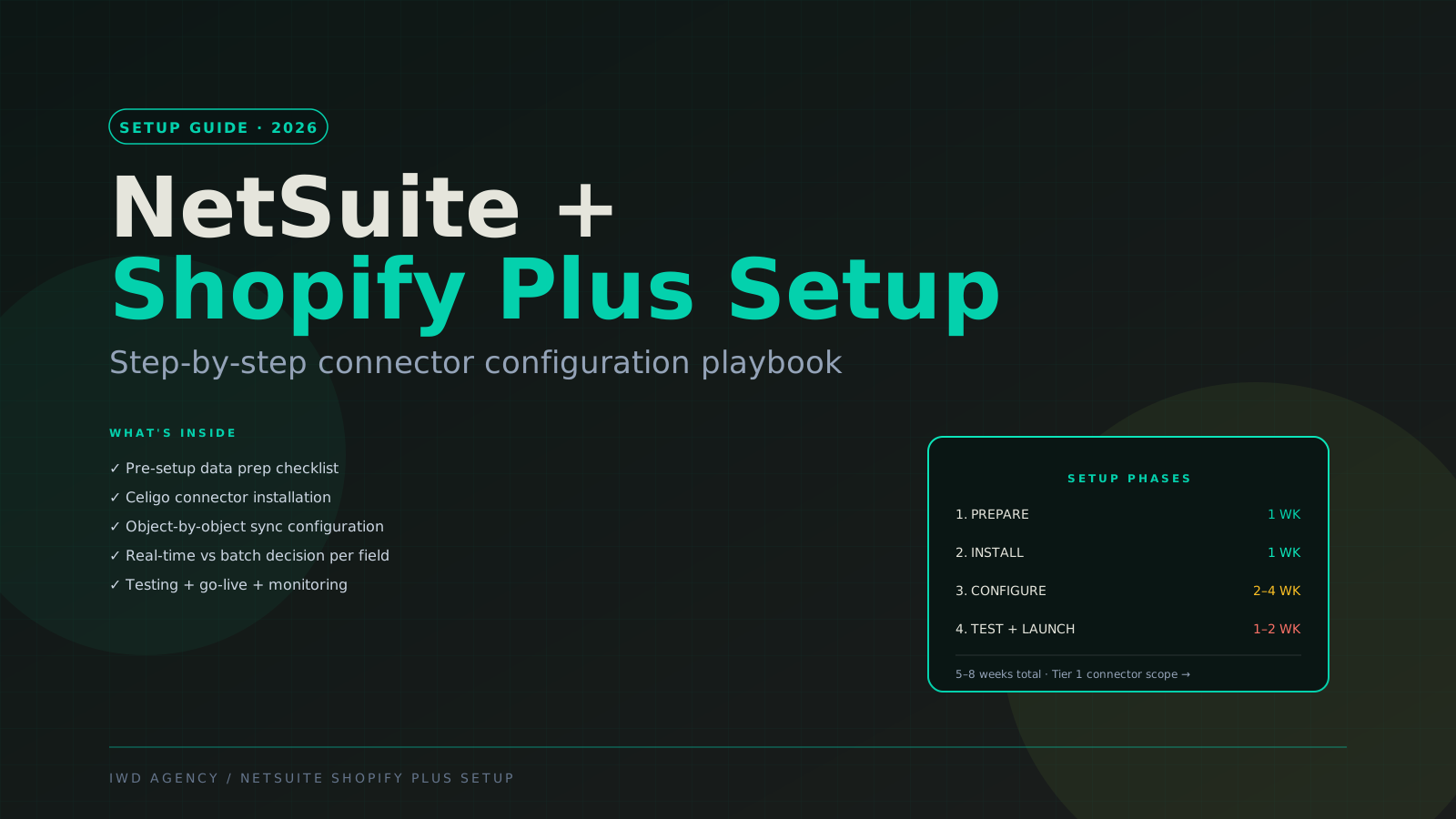
This guide is the step-by-step setup playbook our team uses on every NetSuite + Shopify Plus connector implementation. It covers data preparation, Celigo (the most common connector) installation, object-by-object sync configuration, real-time vs batch sync decisions, testing protocol, and go-live + monitoring. If you would rather skip a partner-led Celigo build, our own Dominate Shopify NetSuite connector follows the same object-by-object setup with self-serve configuration.
If you're earlier in the integration architecture decision (Tier 1 connector vs Tier 2 middleware vs Tier 3 custom), pair this with our NetSuite Integration Guide 2026 which covers the framework choice.
The 30-Second Verdict
Typical timeline: 5-8 weeks for Tier 1 Celigo connector setup. 8-14 weeks if customizations needed. 14-24 weeks for fully custom integration.
Typical cost:
- Celigo connector setup: $8-25K
- Custom mappings + middleware logic: $35-90K
- Fully custom integration: $60-200K+
Critical prerequisites before starting:
- ✅ Active Shopify Plus subscription with B2B enabled
- ✅ NetSuite SuiteApp or SuiteCloud Plus license
- ✅ Celigo account (~$1,500-3,000/month depending on flows)
- ✅ Field mapping spreadsheet completed during planning
- ✅ NetSuite sandbox environment ready for testing
- ✅ Customer support team aware of upcoming go-live
Phase 1: Prepare (Week 1)
The phase brands skip and regret. Real preparation prevents 80% of integration issues.
Step 1.1 — Data audit in NetSuite
Map exactly what data needs to flow to Shopify:
| NetSuite object | Required fields | Sync direction |
|---|---|---|
| Customer / Company | Email, name, address, tier, payment terms, tax-exempt | NetSuite → Shopify |
| Customer-specific pricing | SKU + price per customer tier | NetSuite → Shopify |
| Items / Products | SKU, name, description, weight, dimensions, attributes | NetSuite → Shopify |
| Inventory | SKU + warehouse + quantity available | NetSuite → Shopify (real-time critical) |
| Sales Orders | Customer, line items, shipping, payment terms, total | Shopify → NetSuite |
| Invoices | Order # + invoice status | NetSuite → Shopify |
| Tax codes | Customer + jurisdiction + rate | NetSuite → Shopify |
Step 1.2 — Identify NetSuite customizations
Standard NetSuite has ~3,000 fields. Customized NetSuites add more. Inventory your custom fields:
- Custom record types
- Custom field naming conventions
- Custom workflows that trigger on customer/order changes
- Custom SuiteScript logic that affects data integrity
For each, decide: does it need to sync to Shopify, or is it NetSuite-internal only?
Step 1.3 — Map customer tiers to Shopify B2B price lists
This is the critical mapping decision. Shopify Plus B2B uses price lists + catalogs; NetSuite uses pricing levels + customer-specific pricing. Create a 1:1 map:
| NetSuite pricing level | Shopify Plus price list | Catalog |
|---|---|---|
| Wholesale Tier 1 | Premium Wholesale | Full catalog |
| Wholesale Tier 2 | Standard Wholesale | Full catalog |
| Distributor | Distributor Tier | Distributor catalog (some SKUs hidden) |
| Strategic Account A | Strategic A Custom | Strategic A custom catalog |
| Retail (DTC) | DTC (default storefront pricing) | Full catalog |
Step 1.4 — Field mapping spreadsheet
Create a 200-300 row spreadsheet mapping every NetSuite field → Shopify field, with:
- Source field name
- Target field name
- Transformation logic (if any)
- Sync direction
- Sync frequency (real-time / batch / daily)
- Required for go-live? Y/N
- Notes
This is the source of truth for configuration. Skip it = configure blind = production issues.
Step 1.5 — Provision NetSuite Sandbox
Open a NetSuite sandbox (separate environment for testing). Confirm:
- All custom records replicated
- Test customers loaded
- Test products loaded
- Test pricing data accurate
Step 1.6 — Provision Shopify Plus dev/staging store
Shopify Plus includes a development/preview store. Use it for integration testing — not your live production store.
Phase 2: Install Celigo Connector (Week 2)
Step 2.1 — Celigo account setup
Sign up for Celigo Integrator.io. Plans start at ~$1,000/month; the NetSuite + Shopify "smart connectors" require $1,500-3,000/month tier depending on flow volume.
Step 2.2 — Install NetSuite SuiteApp
Celigo provides a NetSuite SuiteApp (bundle) that installs in NetSuite:
- NetSuite admin → Customization → SuiteBundler → Search & Install
- Install Celigo SuiteApp
- Grant required permissions (read/write on Customers, Items, Inventory, Sales Orders, Item Fulfillment, Cash Sales, Credit Memos)
- Create dedicated NetSuite user for Celigo integration (don't use admin account)
Step 2.3 — Connect Shopify Plus
In Celigo Integrator.io:
- Connections → Create new connection → Shopify
- Authenticate via OAuth (Shopify admin will prompt for permission)
- Verify connection by pulling first 10 products from Shopify
Step 2.4 — Connect NetSuite
In Celigo Integrator.io:
- Connections → Create new connection → NetSuite
- Enter NetSuite Account ID + RESTlet credentials (Celigo provides RESTlet to install in NetSuite)
- Verify by pulling first 10 customers from NetSuite sandbox
Step 2.5 — Install Celigo Smart Connector for NetSuite + Shopify
Celigo's pre-built integration template (NetSuite-Shopify Integrator) handles 80% of standard flows out of the box:
- Marketplace flow: Sales Orders Shopify → NetSuite (real-time)
- Item flow: Items NetSuite → Shopify (batch)
- Customer flow: Customers NetSuite ↔ Shopify (bidirectional)
- Inventory flow: Inventory NetSuite → Shopify (real-time)
- Item Fulfillment flow: Fulfillment NetSuite → Shopify (real-time)
Install in your Celigo workspace from the templates section.
Phase 3: Configure Each Flow (Weeks 3-6)
This is where 80% of the work happens. Each flow needs configuration.
Step 3.1 — Customer flow configuration
NetSuite → Shopify customer sync:
- Filter: only sync customers with
Active = TRUEandCustomer Type = Company - Field mappings: NetSuite Company Name → Shopify Company Name
- Tier mapping: NetSuite Pricing Level → Shopify B2B Price List (via lookup table)
- Address handling: NetSuite addresses → Shopify Locations on the company
- Buyer creation: NetSuite Customer Contacts → Shopify B2B Buyers
- Sync frequency: every 15 minutes for new customers; real-time on customer updates via webhook
Step 3.2 — Product flow configuration
NetSuite → Shopify item sync:
- Filter: only sync items with
Display in Web Store = TRUE - Field mappings: NetSuite Display Name → Shopify Product Title
- Description: NetSuite Description → Shopify Product Description
- Pricing: NetSuite Base Price → Shopify Default Variant Price
- Variants: NetSuite Matrix Items → Shopify Product Variants
- Sync frequency: daily batch (catalog rarely changes mid-day) + manual trigger on new SKU launches
Step 3.3 — Customer-specific pricing flow
This is the most complex flow and most likely source of bugs:
- For each NetSuite "Pricing Level" that maps to a Shopify "Price List"
- Pull NetSuite Pricing Schedule → Customer-Specific Item Prices
- Write to Shopify Price List → Product Variant Price
- Filter: only sync prices where
Price > 0(skip placeholders) - Sync frequency: every 15 minutes for changes (sales team updates prices in NetSuite throughout the day)
Step 3.4 — Inventory flow configuration
NetSuite → Shopify inventory sync (real-time critical):
- For each NetSuite Item + Warehouse → push to corresponding Shopify Location + Variant Inventory
- Multi-warehouse handling: if Shopify has multiple Locations, map each NetSuite Warehouse to a Shopify Location
- Sync frequency: real-time via NetSuite webhook on Inventory Change event, with hourly batch reconciliation as fallback
Step 3.5 — Order flow (Shopify → NetSuite)
Shopify Orders → NetSuite Sales Orders:
- Trigger: webhook on Shopify Order Created
- Customer lookup: match by email; create new NetSuite customer if not found
- Line items: map Shopify Variant SKU → NetSuite Item Internal ID
- Pricing: use prices captured at checkout (don't re-calculate from NetSuite — sources of truth diverge if you do)
- Shipping: map Shopify shipping method → NetSuite shipping item
- Tax: pass through Shopify tax calculation OR call NetSuite tax engine (depending on customer config)
- Payment terms: Shopify checkout payment method → NetSuite payment terms
Step 3.6 — Fulfillment flow (NetSuite → Shopify)
NetSuite Item Fulfillment → Shopify Order Fulfillment:
- Trigger: NetSuite saved-search → Celigo every 5 minutes
- For each fulfilled item: write tracking number + carrier to Shopify Order Fulfillment
- Trigger Shopify shipment notification email to customer
Step 3.7 — Invoice / Payment flow
NetSuite Invoice → Shopify Order Status:
- Trigger: NetSuite saved-search → Celigo daily
- For each invoice: update Shopify Order with payment status (paid / partial / overdue)
- Net terms tracking: surface aging buckets to Shopify B2B admin dashboard
Phase 4: Test (Weeks 5-7)
Step 4.1 — Sandbox testing protocol
Test in NetSuite Sandbox + Shopify dev store BEFORE touching production:
| Test scenario | Pass criteria |
|---|---|
| New customer in NetSuite | Appears in Shopify B2B Companies within 15 min |
| Pricing update in NetSuite | Reflected in Shopify Price List within 15 min |
| Inventory change in NetSuite | Real-time update to Shopify Variant inventory |
| Order placed in Shopify | Appears in NetSuite Sales Order within 1 min |
| Fulfillment in NetSuite | Tracking number appears in Shopify Order within 5 min |
| Customer order from B2B portal | All fields correct in NetSuite (pricing, shipping, payment terms) |
| Quote workflow | Quote in Shopify → No NetSuite record until accepted → Then SO created |
| Tax-exempt customer order | NetSuite shows tax-exempt SO; Shopify shows 0 tax |
| Multi-warehouse order | NetSuite SO has correct warehouse assignment |
| Refund / cancellation | Both systems reconcile cleanly |
Step 4.2 — Edge case testing
- What happens if NetSuite API is down for 30 minutes?
- What if a customer exists in Shopify but not NetSuite?
- What if NetSuite rejects an order (invalid customer, missing tax code)?
- What if inventory goes negative?
- What if a buyer is in two NetSuite customers simultaneously?
Document the failure mode for each. Configure error notifications via email + Slack.
Step 4.3 — Performance testing
Run sustained load test:
- 100 orders / hour for 4 hours → no degradation
- 1,000 products synced in 30 minutes → no API throttling errors
- Inventory sync during peak NetSuite save activity → no missed updates
Phase 5: Go Live (Week 7-8)
Step 5.1 — Production cutover prep
- All flows tested in sandbox and signed off
- Production NetSuite RESTlet installed
- Production Celigo flows configured (separate from sandbox)
- Customer support team briefed on integration go-live
- Soft launch plan: integration enabled but with reduced customer exposure for 1-2 weeks
Step 5.2 — Production cutover sequence
- Friday afternoon: disable production order entry temporarily (1 hour window)
- Verify: all open orders in NetSuite are fulfilled or cancelled
- Enable Celigo flows in production: customer sync first, then products, then inventory, then orders
- Initial sync: allow 4-8 hours for initial customer + product sync to complete (depending on data volume)
- Saturday morning: re-enable production order entry
- Monitoring: Slack channel + email alerts for any integration errors
- Watch window: 14-21 days of close monitoring before declaring stable
Step 5.3 — Post-launch monitoring
Set up dashboards for:
- Error rate per flow — should be <0.5% of records
- Sync lag time — should be within configured frequency (real-time = <60s, batch = <15min)
- Stuck records — orders / customers / inventory updates that failed and require manual intervention
- Daily reconciliation — automated end-of-day reconciliation comparing NetSuite vs Shopify record counts
Plan monthly review meetings between commerce + ERP + integration team to catch drift.
Common Setup Pitfalls
Pitfall #1 — Skipping the field mapping spreadsheet
Configuring flows without a documented field map = guaranteed production issues. The spreadsheet takes 1-2 weeks during prep but saves 4-8 weeks during production debugging.
Pitfall #2 — Using admin account for Celigo
Always create a dedicated NetSuite integration user. Admin account changes break the integration; dedicated user has stable credentials + clear audit trail.
Pitfall #3 — Real-time everything
Most fields don't need real-time. Inventory, orders, status changes = real-time. Customer updates, product catalog = batch. Designing real-time for everything multiplies cost without proportional value.
Pitfall #4 — Skipping sandbox testing
Production-only testing is fast until it breaks customer orders. Sandbox testing in NetSuite + Shopify dev store adds 1-2 weeks; production debugging adds 1-3 months.
Pitfall #5 — No error handling design
What happens when sync fails? Most teams discover error handling matters during their first production failure at 2am. Design before launch:
- Slack alert channel for sync failures
- Email digest of failed records (daily)
- Manual reconciliation runbook
- Escalation path for critical failures (real-time inventory, real-time orders)
Pitfall #6 — Customer-specific pricing flow undertested
The pricing flow is the most complex AND the highest-stakes (wrong price = lost revenue or angry customer). Test 50+ pricing combinations across customer tiers before launch.
Pitfall #7 — Treating integration as one-time setup
NetSuite changes constantly (new fields, new workflows, customizations). Plan for $1-5K/month in ongoing integration maintenance retainer post-launch. Integration breaks if you treat it as set-and-forget.
Pitfall #8 — Not training customer support
CSRs need to understand: which system is source of truth for each data type, how to debug "I placed an order but it's not showing", how to escalate sync failures. Training before launch prevents customer experience issues.
Frequently Asked Questions
Common questions about NetSuite + Shopify Plus setup
How long does NetSuite + Shopify Plus connector setup take?
5-8 weeks for Tier 1 Celigo connector with standard configuration. 8-14 weeks if you need custom mappings or middleware logic. 14-24 weeks for fully custom integrations. Timeline depends mostly on the depth of NetSuite customization and how many edge cases need bespoke handling.
How much does it cost?
Celigo connector setup: $8-25K. Celigo + custom middleware logic: $35-90K. Fully custom build: $60-200K. Plus ongoing Celigo subscription ($1,500-3,000/mo) and maintenance retainer ($1-5K/mo).
Do I need to use Celigo, or are there alternatives?
Celigo is most common for NetSuite + Shopify Plus integration. Alternatives: Boomi (similar to Celigo, slightly enterprise-skewed), Jitterbit (smaller ecommerce user base), Workato (modern but more expensive), custom build (full control, higher cost). For 80% of mid-market projects, Celigo is the default.
Can I use the NetSuite "SuiteCommerce Connector" instead?
No — SuiteCommerce Connector is for NetSuite's own SuiteCommerce platform, not Shopify. For Shopify Plus integration you need Celigo, Boomi, or custom development. Oracle/NetSuite's official integration tools don't support Shopify natively.
What's the difference between SOAP and REST integration to NetSuite?
REST is preferred in 2026 — cleaner APIs, easier debugging, better Celigo support. SOAP still works for legacy NetSuite setups. New integrations should use REST + SuiteCloud Plus license unless your NetSuite environment specifically requires SOAP.
How do I handle customer password sync?
You don't — Shopify doesn't accept hashed passwords from NetSuite. When importing customers from NetSuite, plan for forced password reset on first Shopify login. Send email campaign 1 week before go-live explaining the change.
Should I sync historical orders from NetSuite to Shopify?
Usually no — keep them in NetSuite as system of record. Shopify displays "recent order history" pulled live from NetSuite via the integration, not a full migration. Saves data volume + sync complexity.
What if my NetSuite is heavily customized?
Plan a discovery phase before scoping. Heavy customization (custom record types, custom workflows, custom field naming) breaks pre-built connector assumptions. Expect 2-4 weeks of custom field mapping work + custom transformation logic. Budget Tier 2 middleware ($35-90K) not Tier 1.
How do I handle multi-warehouse inventory?
Map each NetSuite Warehouse to a Shopify Location. Each Shopify Plus account has multiple Locations natively. Real-time inventory sync per Warehouse → Location pair. For order routing (which warehouse ships each line item), configure in Shopify Shipping settings.
Should I use Dominate or Celigo for Shopify Plus and NetSuite?
Dominate, the NetSuite connector built by the IWD team, is the simpler path when the store is the main system feeding NetSuite: self-serve setup for standard order, inventory, and customer sync on Shopify Plus, with published plans. Celigo, the iPaaS this guide walks through, fits when NetSuite also has to connect to many other systems and you want one platform managing every flow. On either path, our NetSuite integration services team adds custom middleware where Plus B2B or multi-store rules need it. See the Dominate NetSuite Shopify connector for plans.
Related Reading
NetSuite Integration Guide 2026: architectural framework for picking integration tier · Shopify Plus B2B Implementation Guide 2026 · Migrating to Shopify Plus 2026 · Shopify Plus vs Adobe Commerce 2026 · NetSuite integration services · Dominate Adobe Commerce NetSuite integration
If you're scoping a NetSuite + Shopify Plus integration, book a 30-minute integration assessment. Our team has shipped 80+ NetSuite integrations since 2010 across Magento, Adobe Commerce, BigCommerce, and Shopify Plus — we'll walk through your specific NetSuite configuration honestly including realistic timeline and budget.