Last updated: May 25, 2026 · 17 min read · By Joe McFerrin, CEO of IWD Agency
Shopify Plus B2B is one of the fastest-shipping enterprise B2B platforms in 2026. A mid-market B2B build that takes 22-36 weeks on Adobe Commerce can ship in 7-14 weeks on Plus. But that speed comes with specific implementation patterns — get them right and your B2B portal launches cleanly; get them wrong and you spend the next 6 months untangling bad initial configuration decisions.
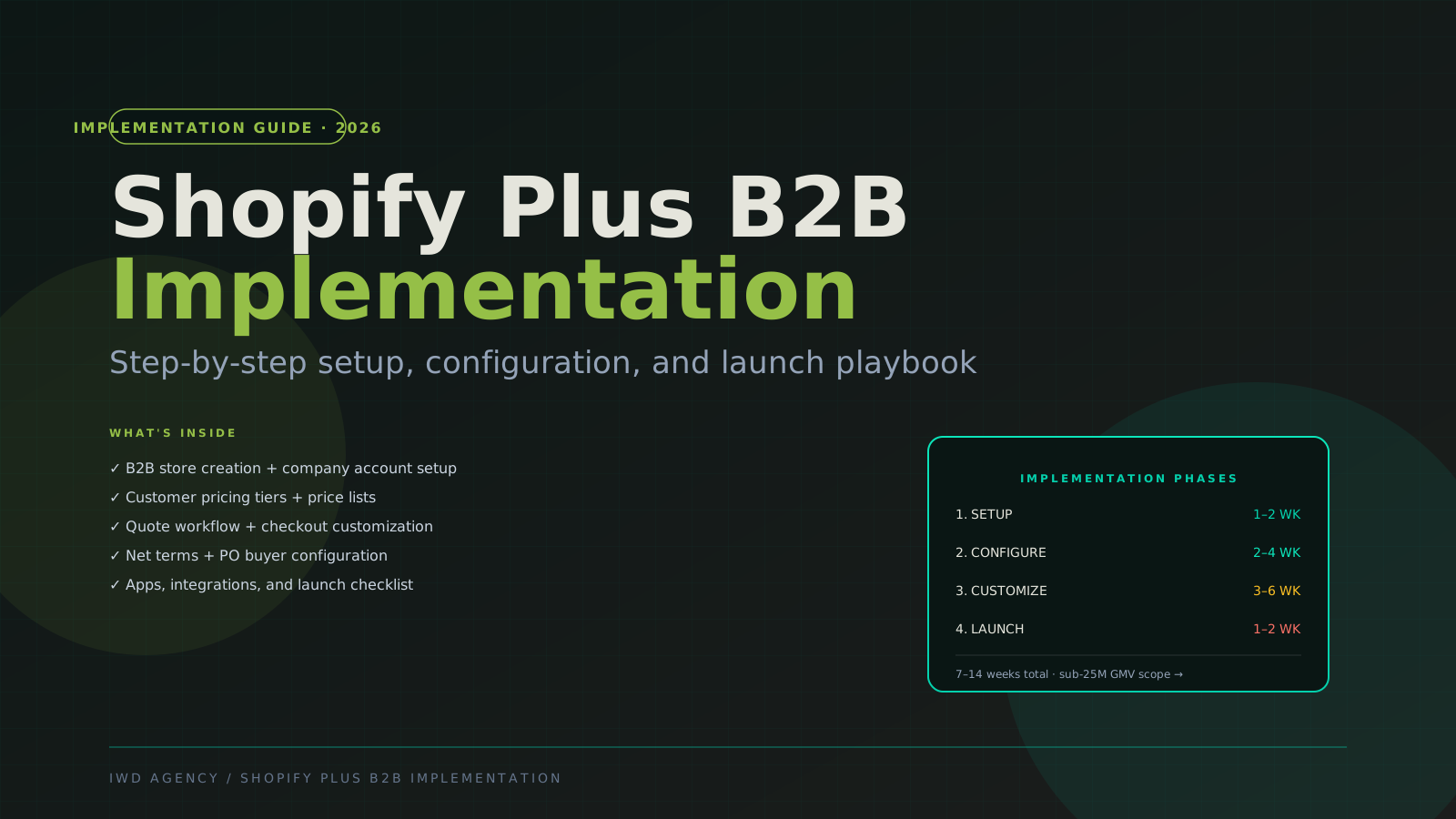
This guide is the step-by-step implementation playbook our team uses on every Shopify Plus B2B engagement. It covers store setup, company account configuration, customer pricing tiers, quote workflows, net terms + PO buyer setup, app selection, integration patterns, and the full pre-launch checklist.
If you're earlier in the platform decision, pair this with our Shopify Plus B2B vs BigCommerce B2B comparison and Shopify Plus vs Adobe Commerce 2026.
The 30-Second Verdict
Shopify Plus B2B implementation timeline by complexity:
| Scope | Timeline | Cost |
|---|---|---|
| Add B2B to existing DTC Plus store (simple) | 4-8 weeks | $20-50K |
| Standalone B2B store (basic — 1-2 customer tiers) | 8-14 weeks | $50-120K |
| B2B + complex pricing + custom workflows | 14-20 weeks | $90-200K |
| B2B + ERP integration + multi-region | 18-28 weeks | $125-300K |
| B2B headless on Hydrogen | 20-32 weeks | $150-350K |
Critical prerequisites:
- ✅ Shopify Plus subscription active (B2B native is Plus-only)
- ✅ Customer data ready (companies, contacts, tier assignments)
- ✅ Product catalog inventoried (SKUs, customer-specific availability)
- ✅ Pricing rules documented (tier structure, special pricing accounts)
- ✅ ERP integration approach decided (see our NetSuite Integration Guide 2026)
Phase 1: Store Setup (Weeks 1-2)
The foundation. Get this right or every subsequent phase compounds the wrong assumptions.
Step 1.1 — Activate Shopify Plus B2B
Native B2B requires Shopify Plus subscription ($2,300+/mo). Navigate to your Plus admin → Settings → Customers and orders → B2B → enable native B2B.
This unlocks:
- Companies and company accounts
- Catalogs (customer-specific product visibility)
- Price lists (customer-specific pricing)
- Buyer permissions (account roles within companies)
- Volume pricing rules
- Net terms + payment terms
Step 1.2 — Decide on store architecture
| Architecture | When it fits |
|---|---|
| Single store, DTC + B2B unified | Most brands — same products, different pricing by login |
| Single store, B2B-only | B2B-primary brands with no DTC |
| Multi-store: separate DTC + B2B | Distinct brand presentations or different team management needs |
| Multi-region B2B (via Shopify Markets) | Multi-country B2B with regional pricing/tax |
My recommendation: Default to single store, DTC + B2B unified. It's simpler to maintain and the customer experience is cleaner. Only split into multi-store if you have a specific reason (distinct branding, team segmentation, or geographic split).
Step 1.3 — Configure base store settings
- Tax engine: Configure tax-exempt status for B2B customers (Avalara integration if multi-region)
- Shipping zones: Define wholesale shipping rules (free over $X, flat rate, freight quote)
- Payment methods: Enable Shopify Payments + add Net 30/60 as customer-specific payment terms
- Currency: If multi-currency via Shopify Markets, configure per-region pricing now
- Locales/languages: If multi-language, configure now
Phase 2: Configure B2B (Weeks 3-4)
The B2B feature configuration phase. This is where the platform's native B2B feature set comes online.
Step 2.1 — Set up customer tiers and price lists
Shopify Plus B2B uses catalogs (which products are visible) + price lists (which prices apply) to deliver customer-specific pricing.
Common tier structures:
| Tier name | Discount from MSRP | Catalog visibility | Customer count typical |
|---|---|---|---|
| Tier 1 — Premium Wholesale | -15% | Full catalog | 20-100 |
| Tier 2 — Standard Wholesale | -25% | Full catalog | 100-1000 |
| Tier 3 — Distributor | -35% | Full catalog + early access SKUs | 5-50 |
| Strategic Account A | -40% custom | Custom catalog (some products restricted) | 1-5 |
| Strategic Account B | -45% custom | Custom catalog (different restrictions) | 1-5 |
In Shopify Plus admin: Customers → Companies → Price lists to create each tier. Each price list maps to a catalog (product visibility set).
Step 2.2 — Configure company accounts
Companies in Shopify Plus B2B contain:
- Company name + tax ID
- Default location (shipping/billing)
- Catalog assignment (which catalog this company sees)
- Price list assignment (which prices apply)
- Payment terms (Net 30/60 enabled?)
- Buyer permissions (who can place orders, who needs approval)
Best practice: start with default Net 30 for verified accounts and require manual approval for new applications during first 90 days post-launch.
Step 2.3 — Set up buyer permissions
Within each company, individual buyers can have different roles:
| Role | Permissions |
|---|---|
| Owner | Manage company settings, view all orders, place orders |
| Admin | Place orders, view all orders, manage buyers |
| Buyer | Place orders, view own orders only |
| View-only | View catalog, can't place orders |
For most B2B brands, default is all buyers can place orders, owner approves over $X threshold.
Step 2.4 — Configure quote workflow
Shopify Plus B2B native quote workflow:
- Buyer adds items to cart
- Instead of checkout, clicks "Request Quote"
- Sales rep receives quote request, can adjust pricing/terms
- Sales rep sends quote back to buyer
- Buyer accepts → converts to order with quote pricing locked
Configure in Settings → Checkout → B2B → Quote settings. Decide:
- Minimum quote amount?
- Quote expiration (typically 7-30 days)
- Approval workflow if multiple sales reps
Phase 3: Customize (Weeks 5-10)
Where the implementation diverges from out-of-the-box. Most brands need some customization here.
Step 3.1 — Storefront customization
The B2B portal needs to look different from DTC even on a unified store:
- B2B-only landing page post-login (account dashboard)
- Custom navigation for logged-in B2B users (Reorder, Quote, Account)
- Wholesale-specific content blocks (volume discount messaging, terms reminder)
- B2B-only product catalog views (grid + list with bulk-add)
This typically requires Liquid theme customization or Shopify Functions for advanced logic.
Step 3.2 — Application form for new wholesale accounts
Most brands need a custom "Apply for Wholesale" form that captures:
- Business name + tax ID
- Annual revenue + employee count
- Business type (retailer, distributor, foodservice, etc.)
- Years in business
- References
Two implementation options:
- Shopify Forms (native) — basic but works
- HubSpot/Typeform/custom form → Shopify Admin — better for marketing automation integration
Step 3.3 — Volume pricing rules
Beyond customer-tier pricing, configure SKU-level volume discounts:
| Quantity | Discount |
|---|---|
| 12-48 units | 0% (base wholesale price) |
| 49-96 units | -3% |
| 97-240 units | -7% |
| 240+ units | -12% |
Configure in price list → product → volume pricing.
Step 3.4 — Custom checkout via Shopify Functions / Checkout UI Extensions
Most B2B brands need at least one of:
- Custom shipping rate calculation (freight quotes for large orders)
- Custom tax rules (tax-exempt accounts handled cleanly)
- Custom payment routing (PO acceptance with terms validation)
- Custom order minimums (per-customer minimums)
- Custom shipping address validation (for B2B addresses)
These now go through Shopify Functions (replaced legacy Shopify Plus Scripts in 2024). Each Function takes ~1-3 weeks of development.
Phase 4: Integrations (Weeks 6-12, parallel to Phase 3)
Step 4.1 — ERP integration
If you have NetSuite, SAP, MS Dynamics, Acumatica, or other ERP — this is the biggest single integration. See our NetSuite Integration Guide 2026 for the architectural framework.
For Shopify Plus + NetSuite specifically:
- Tier 1 connector (Celigo): $8-25K, 2-6 weeks
- Tier 2 middleware: $35-90K, 6-14 weeks
- Tier 3 custom integration: $60-200K, 12-24 weeks
Common sync targets:
- Customer accounts (Shopify ↔ NetSuite)
- Pricing tiers (NetSuite → Shopify price lists)
- Inventory (NetSuite → Shopify real-time)
- Orders (Shopify → NetSuite)
- Order status (NetSuite → Shopify)
Step 4.2 — Marketing automation
Most B2B brands need:
- Email marketing (Klaviyo): B2B-aware segments, abandonment flows for high-value carts
- Customer support (Gorgias): integrated with order data
- Account-based marketing (HubSpot): if marketing-led B2B with lead nurturing pre-purchase
Step 4.3 — Other common integrations
- Tax: Avalara if multi-region
- Shipping: ShipperHQ for freight rate calculation
- PIM: Akeneo or Salsify if product catalog is content-heavy
- Reporting: Glew or Triple Whale for unified analytics
Phase 5: Apps + Extensions (Weeks 8-12)
Native Plus B2B handles a lot but apps fill specific gaps:
| Need | App recommendations |
|---|---|
| Wholesale application form | Shopify Forms, HulkApps, B2B Wholesale Club |
| Advanced quote workflow | Sparklayer, BSS B2B, Helium Customer Pricing |
| Customer-specific catalogs (when native isn't enough) | Sparklayer, BSS |
| Recurring orders / subscriptions B2B-aware | ReCharge with B2B logic |
| Reorder lists / buying lists | Sparklayer, native Plus B2B (basic) |
| Tax-exempt certificate management | Avalara, TaxCloud |
| Multi-warehouse routing | ShipperHQ, Shipstation Plus |
| Account-level reporting | Sparklayer dashboards, custom dashboards |
Total app stack cost typical: $1,500-5,000/month for B2B-focused implementations.
Phase 6: QA + Launch (Weeks 11-14)
Step 6.1 — Internal QA
Run through the full B2B buyer journey:
- New account application flow → admin approval → buyer login → catalog browse → cart → checkout → order placed
- Existing account reorder flow
- Quote workflow (request → sales rep review → buyer accept → order)
- Net terms order flow
- Multi-buyer flow (admin + buyer permissions)
- Edge cases: tax-exempt orders, freight quotes, custom-priced products
Step 6.2 — Client UAT
Real customer testing with 3-5 wholesale accounts before full launch:
- Document any issues found
- Adjust configurations
- Re-test
Step 6.3 — Performance testing
- Page load benchmarks (B2B pages can be slower than DTC due to catalog filtering)
- Cart performance with 50+ items (B2B carts are larger than DTC)
- Checkout speed with customer-specific pricing applied
Step 6.4 — Pre-launch checklist
- All companies imported with correct tier assignments
- All catalogs configured with correct product visibility
- All price lists tested for accuracy
- All payment terms validated
- ERP integration tested with real order
- Email templates customized for B2B (order confirmations, quote ready, etc.)
- Account dashboard reviewed
- Reorder functionality tested
- Quote workflow tested end-to-end
- Tax-exempt flows tested
- Custom shipping rules validated
- Performance benchmarks documented
- Customer support trained on B2B-specific issues
- Soft launch with subset of customers (week 1-2)
- Full launch (week 3+)
Common Implementation Pitfalls
Pitfall #1 — Skipping the tier structure planning
Brands set up "wholesale tier" without thinking through their actual customer segmentation. Then 6 months later they're trying to retrofit 5 tiers and realize the original architecture doesn't support it cleanly.
Plan up front: map every wholesale customer to a tier on day one. Tier 1 (premium), Tier 2 (standard), Tier 3 (distributor), Tier 4+ (strategic). Be specific about who's in each.
Pitfall #2 — Treating B2B as DTC with bigger discounts
B2B requires different UX patterns — bulk add, reorder, quote, account dashboard, order history filtering. A B2B portal that just shows DTC prices with -25% applied misses the workflow advantages.
Pitfall #3 — Underestimating wholesale application + approval workflow
The application form + admin approval flow is often skipped during scoping. Then post-launch, hundreds of legitimate wholesale prospects abandon because the application path is broken or non-existent.
Pitfall #4 — Net terms without verification process
Auto-approving Net 30 for any account is a fast path to AR issues. Always require manual approval for Net terms in the first 90 days. Build credit-check integration if scaling beyond manual review.
Pitfall #5 — Quote workflow without sales rep training
Native Plus quote workflow assumes sales reps respond promptly. Without training + SLA expectations, quotes sit unread and customers abandon.
Pitfall #6 — ERP integration as afterthought
"We'll integrate ERP after launch." Then post-launch, manual order entry consumes 30 hours/week of CSR time. Plan ERP integration during phases 1-2, deploy during 4-6.
Pitfall #7 — Custom checkout without scoping Shopify Functions complexity
Each Shopify Function is a separate development effort. Brands assume "we'll just add custom logic in checkout" without scoping it. Each Function = 1-3 weeks of dev.
Pitfall #8 — Skipping multi-buyer permissions
Most B2B accounts have multiple buyers (owner + 2-5 buyers). Skipping permission configuration means all buyers can place orders without oversight — fine for some accounts, disastrous for others.
Implementation Cost Summary
| Scope | Build cost | Timeline | Apps/month |
|---|---|---|---|
| Add B2B to existing DTC Plus store | $20-50K | 4-8 weeks | $500-1,500 |
| Standalone Plus B2B (basic) | $50-120K | 8-14 weeks | $1,000-2,500 |
| Plus B2B + complex workflows | $90-200K | 14-20 weeks | $2,000-4,000 |
| Plus B2B + ERP integration | $125-300K | 18-28 weeks | $2,500-5,000 |
| Plus B2B headless (Hydrogen) | $150-350K | 20-32 weeks | $2,500-5,000 |
Ongoing dev retainer post-launch: $8-25K/month at mid-market scale. Budget separately for ERP integration maintenance ($1-5K/mo).
Frequently Asked Questions
Common questions about Shopify Plus B2B implementation
Do I need a separate Shopify Plus subscription for B2B?
No — B2B is native to Shopify Plus. Same subscription that powers DTC also unlocks B2B features. Activate B2B in your existing Plus admin. The subscription cost ($2,300+/mo) is unchanged whether you use B2B features or not.
How long does Plus B2B implementation take?
4-8 weeks to add B2B to an existing DTC Plus store. 8-14 weeks for a standalone B2B Plus build. 14-20 weeks with complex workflows. 18-28 weeks with ERP integration. 20-32 weeks for Hydrogen headless B2B.
Can I keep my DTC operation separate from B2B?
Yes — three options. (1) Single unified store with company-account login routing buyers to wholesale experience — most common, lowest cost. (2) Multi-store: separate DTC + B2B on the same Plus subscription — better branding separation. (3) Hybrid headless with shared backend, separate frontends — most flexible, highest cost.
What if my B2B needs exceed Plus's native capabilities?
Common edge cases: customer-specific catalogs beyond Plus's native depth, multi-tier company hierarchies (parent + child accounts), complex approval workflows. For these, you have three paths: (1) Custom development on Plus (typically 4-12 weeks added scope), (2) Apps like Sparklayer or BSS B2B, (3) Evaluate BigCommerce B2B Edition or Adobe Commerce.
How does pricing work for tax-exempt B2B customers?
Tax-exempt flag on company account. Set the company's tax-exempt status to true, upload tax-exempt certificate, and the tax engine skips tax on their orders. Avalara or TaxCloud handles certificate validation + storage if you need automation.
Can buyers pay with PO or check?
Yes — native. Plus B2B includes "Net terms" payment option that lets buyers complete checkout without immediate payment. Order goes to invoice; buyer pays via PO/check/ACH on Net 30/60 terms. Manual reconciliation or integrate with QuickBooks/NetSuite for automation.
What's the difference between price lists and catalogs?
Catalog = which products visible. A custom catalog might exclude certain SKUs from a customer's view. Price list = which prices apply. A custom price list shows different pricing on the same products. Most brands use both: each company → one catalog (visibility) + one price list (pricing). They're independent — same catalog can have different price lists; same price list can apply to different catalogs.
Can I import existing customer data from another platform?
Yes. CSV import works for companies + locations + buyers + price list assignments. For complex migrations (large customer base, password hashes from another platform), expect 2-4 weeks of data work plus a customer email campaign for forced password reset (Shopify doesn't accept external password hashes).
How do I integrate Shopify Plus B2B with NetSuite?
Three tiers, depending on complexity. Tier 1: Celigo pre-built connector ($8-25K). Tier 2: Celigo + custom logic ($35-90K). Tier 3: Custom build ($60-200K). See our NetSuite Integration Guide 2026 for the architectural framework.
What ongoing costs should I budget post-launch?
At mid-market scale: $2,300/mo Plus subscription + $1,500-5,000/mo apps + $8-25K/mo dev retainer + $1-5K/mo ERP integration maintenance. Total: ~$15-40K/month combined platform + apps + agency. Plan for 5-10% of GMV as ongoing operational cost during first 18 months.
Related Reading
IWD Shopify Plus B2B services · Shopify Plus B2B vs BigCommerce B2B Edition · Shopify Plus vs Adobe Commerce 2026 · Shopify B2B Examples 2026 · NetSuite Integration Guide 2026 · Migrating to Shopify Plus 2026
If you're planning a Shopify Plus B2B implementation, book a 30-minute B2B assessment. IWD has shipped 40+ Shopify Plus B2B implementations across apparel, beauty, food/bev, supplements, and lifestyle — we'll walk through your specific situation including phasing recommendations and realistic budget.