Selling reagents, antibodies, reference standards or lab supplies online looks like ordinary ecommerce until you watch a lab buyer try to order. They search by catalog number or CAS number, not by browsing. They need the safety data sheet and certificate of analysis before anyone signs off. Half of their purchases go through a university, hospital or pharma procurement system that expects a punchout catalog. And the person who picks the product is rarely the person who pays for it.
This guide covers what life sciences and lab suppliers need from their ecommerce platform: catalog structure, documents, punchout, institutional accounts and the shipping rules that come with regulated and temperature-sensitive products. It draws on the complex B2B catalogs our B2B ecommerce development team builds on Magento and Adobe Commerce.
Build the catalog around how scientists search
Lab buyers usually know exactly what they want. Your site's job is to get them to it in one search and show them the right size, purity and price without ambiguity.
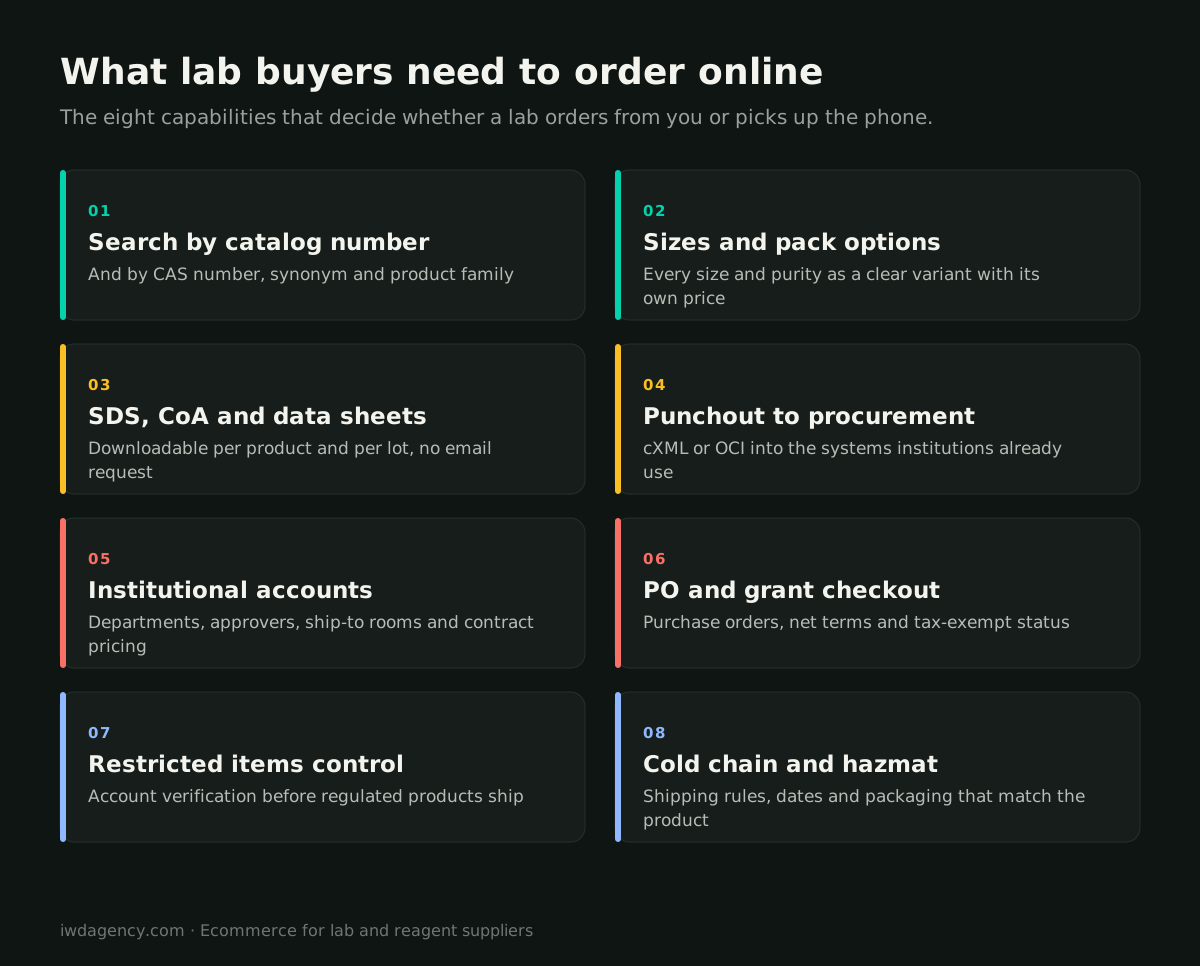
Search by identifiers first. Catalog numbers, CAS numbers, product codes, synonyms and common abbreviations all need to return the right product, including partial numbers and typos. A search that only matches product names will lose buyers who paste a catalog number from a protocol or a colleague's email.
Model variants cleanly. A single compound may come in five pack sizes, two purities and a solution form. Each should be a clear variant with its own SKU, price, stock status and lead time, grouped under one product so buyers can compare. Mixing them into separate unrelated listings clutters search and confuses reorders.
Structure the technical attributes. Molecular weight, formula, concentration, storage conditions, host species, reactivity, applications and certifications should be structured attributes that power filters and comparison, not text buried in a description. That structure also helps search engines and AI assistants understand your products.
Put the documents where the decision happens
For regulated and research products, documents are not a nice extra. They are often a requirement before a purchase can be approved.
- Safety data sheets (SDS) downloadable on every product page, in the languages and formats your markets require.
- Certificates of analysis (CoA) by lot, ideally searchable by lot number so a lab can pull the certificate for the exact batch it received.
- Technical and application data sheets, protocols and references attached to the product, not in a separate resource library nobody finds.
When buyers have to email for a document, you add a day to every order and give them a reason to check a competitor who publishes theirs.
Punchout catalogs: selling inside the procurement system
Many universities, hospitals, biotech companies and pharma labs purchase through e-procurement systems such as SAP Ariba, Coupa or Jaggaer. Instead of visiting your site directly, the buyer clicks through from their procurement system into your catalog, builds a cart at their contract prices, and "punches out" back to their system, where the order goes through internal approval and becomes a purchase order sent to you.
How punchout works
- The buyer starts in their procurement system and selects your store as a supplier.
- The procurement system opens a session on your site, logged in to that institution's account, using a standard protocol (usually cXML or OCI).
- The buyer searches and builds a cart with their negotiated pricing.
- The cart is sent back to the procurement system instead of going through your checkout.
- After internal approval, the institution sends a purchase order to you, often by cXML or EDI, and it flows into your ERP like any other order.
What to plan for
- Per-institution configuration: each customer's procurement system needs its own credentials, pricing and sometimes its own catalog subset.
- Contract pricing that matches: the price in the punchout cart must match the price on the purchase order and the invoice, or accounts payable will reject it.
- Order and invoice flow: purchase orders, order confirmations, shipment notices and invoices may all need to move electronically.
- Testing with each customer: every procurement system implementation has quirks. Budget time to test with each institution's procurement team.
Punchout is not a replacement for your regular store. Many researchers still buy directly with a card or a PO, especially for smaller or urgent orders. The best setups support both from one catalog.
Institutional accounts, approvals and PO checkout
When a lab buys directly from your site, the account structure matters as much as the product page.
Organization, department and lab accounts. A university may have hundreds of labs buying under one contract. Company accounts with sub-accounts, multiple users, roles and approvers let each lab order independently while finance sees everything.
Ship-to details that match reality. Research orders go to a specific building, room and principal investigator. Saved ship-to addresses with room numbers and contact names prevent lost packages at a receiving dock.
Checkout for institutional payment. Support purchase orders, net terms, grant or project numbers in order notes, tax-exempt certificates and credit card payment for small orders. An account that can only pay by credit card will send its larger orders elsewhere.
Restricted products, hazmat and cold chain
Some of the most important rules live in checkout and fulfillment.
- Restricted and controlled items: some products should only ship to verified institutional accounts or require end-use documentation. Build verification into the account and checkout flow so these rules are enforced automatically rather than by a person catching orders.
- Hazardous materials: hazmat classifications affect packaging, carrier choice, shipping cost and which destinations you can ship to. Calculate them at checkout so the buyer sees the right shipping options and cost up front.
- Temperature-sensitive products: dry ice and cold packs, ship-day restrictions (no Friday shipments that sit over a weekend) and expedited-only shipping should be applied automatically by product.
Where this usually breaks
Most lab suppliers we talk to have the catalog online but handle documents, punchout, POs and restricted items manually. Each manual step is a place where orders slow down or go to a competitor. Fix them in order of volume: search and documents first, then accounts and PO checkout, then punchout for your largest institutional customers.
Choosing a platform for a scientific catalog
Catalogs with tens of thousands of SKUs, deep attributes, customer-specific pricing and ERP integration are where Magento and Adobe Commerce are strongest. Native B2B features such as company accounts, shared catalogs, quotes and requisition lists cover a lot of what institutional buyers need, and punchout is typically added through a dedicated punchout extension or middleware. Our Magento B2B team builds these catalogs, and our Adobe Commerce integrations work connects them to ERPs, procurement systems and PIMs. If you're weighing options, our B2B ecommerce platform comparison is a good starting point, and if your current site can't handle any of this, our ecommerce replatforming team can plan the move.
Selling to labs and institutions?
Book a free 30-minute assessment. We'll review your catalog, documents, account setup and procurement requirements, and show you which changes would move the most orders online. No pitch deck, no obligation.
Book a 30-minute assessmentMore guides for growing ecommerce teams
- Ecommerce migration checklist: your first year after a replatform
- B2B ordering portals: what contractors and retailers expect
- Selling technical and regulated gear online
- Running multiple brand stores on one platform
- CRO for considered, higher-priced purchases
- Is your ecommerce platform holding you back? A 10-minute self-check
Frequently asked questions
What is a punchout catalog?
A punchout catalog lets a buyer shop your online catalog from inside their organization's e-procurement system, such as SAP Ariba, Coupa or Jaggaer. They build a cart at their contract prices, the cart is sent back to their system for approval, and the approved order arrives as a purchase order.
What is the difference between cXML and OCI punchout?
Both are standard protocols for exchanging punchout sessions and carts. cXML is widely used by systems such as SAP Ariba and Coupa, while OCI is common in SAP environments. Which one you need depends on your customers' procurement systems, and many suppliers support both.
Do lab suppliers need punchout?
If a meaningful share of your revenue comes from universities, hospitals or large pharma and biotech companies, punchout often becomes a requirement to stay on their approved supplier list. Smaller labs and individual researchers still buy directly, so most suppliers need both.
How should SDS and CoA documents be handled online?
Publish safety data sheets on every product page and make certificates of analysis available by lot number. Buyers should be able to download what they need before and after ordering without emailing your team.
Which ecommerce platform is best for scientific and lab products?
For large, technical catalogs with customer-specific pricing, institutional accounts and ERP integration, Magento and Adobe Commerce are strong choices because of their native B2B features and flexibility. The right answer depends on catalog size, integrations and how many institutional customers need punchout.