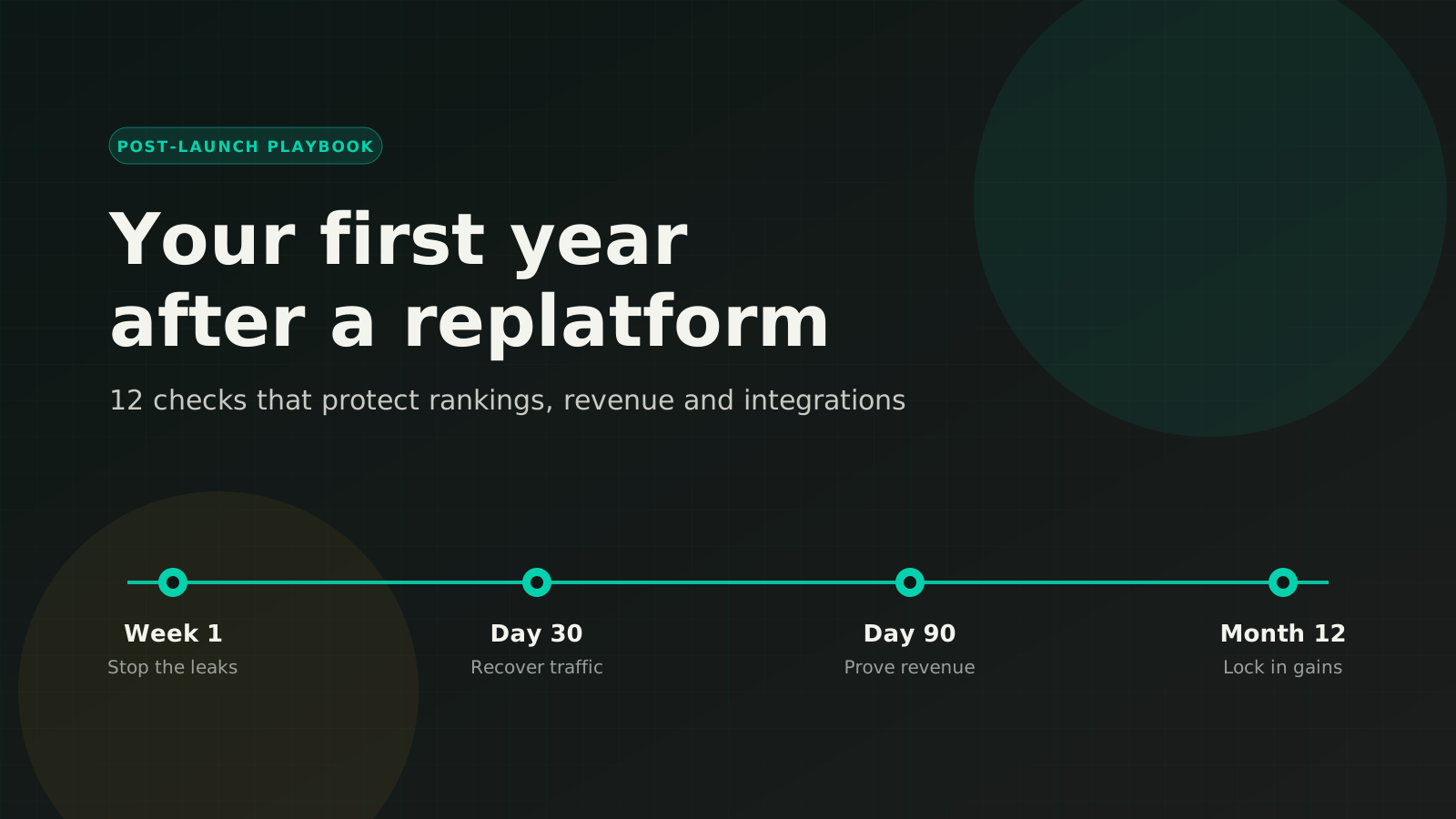
A replatform gets planned for months, celebrated for a day, and then quietly judged for a year. The launch itself is rarely where the damage happens. It shows up in week three, when organic traffic is down and nobody knows which pages lost it, or in month four, when finance notices that orders and the ERP stopped agreeing. This ecommerce migration checklist covers the first year after an ecommerce replatforming project, in the order things tend to break.
We use a version of this list on every migration we run, whether a store is moving to Adobe Commerce, Shopify Plus, BigCommerce or Magento Open Source. It works just as well if another team did the build. If you launched in the last twelve months, you can score your store against it today.
Before you start: find your baseline
Every check below compares "after" with "before." If nobody exported a baseline before launch, rebuild one now from the tools that keep history:
- Search Console: clicks, impressions and average position for the 12 months before launch, exported by page and by query.
- Analytics: sessions, conversion rate and revenue by channel and device for the same period last year, so seasonality doesn't fool you.
- Your old platform's order data: average order value, repeat-purchase rate and order volume by customer group.
- A crawl of the old site, if you still have one. Otherwise, the Wayback Machine and your old XML sitemap are the best record of the URLs that used to exist.
Without a baseline, every conversation about "is the new site working?" turns into opinion. With one, it takes five minutes.
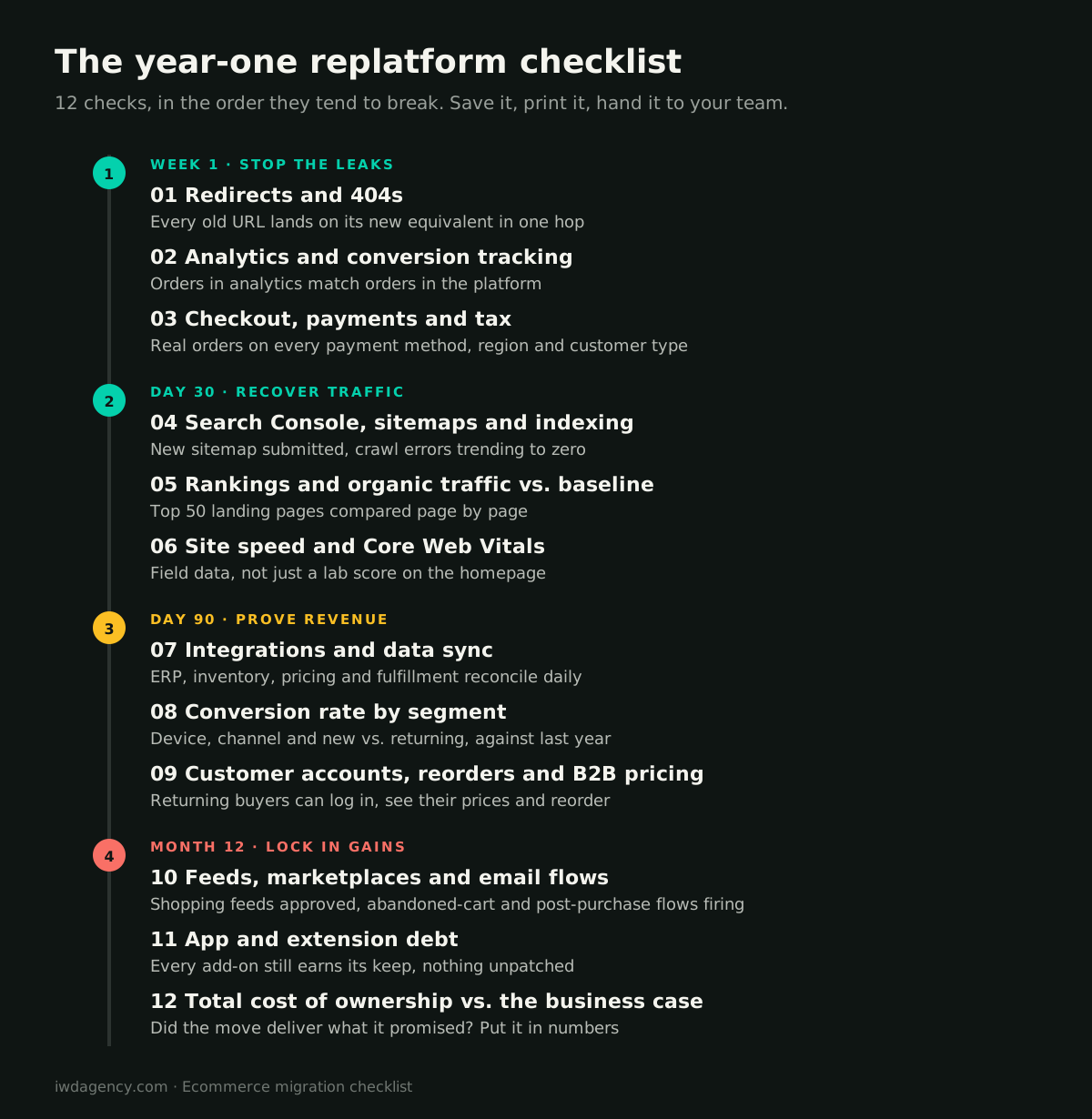
Week 1: stop the leaks
The first week is about anything that silently loses traffic or orders. These problems compound daily, so fix them before you look at anything else.
1. Redirects and 404s
Every URL that earned traffic or links on the old site needs a 301 redirect to its closest equivalent on the new one, in a single hop. Redirect chains (old URL to interim URL to new URL) and redirects that all dump onto the homepage waste the authority the old pages built up.
How to check: pull the 404 report in Search Console and your analytics "page not found" views, then crawl your old sitemap against the live site. Every old URL should return a 301 to a live 200 page. Pay special attention to category pages, top-selling products and any page with backlinks, since those carry the most ranking value. Fix the internal links on the new site too: menus, footers and blog posts should point straight at new URLs, not at redirects.
2. Analytics and conversion tracking
The most common post-launch surprise we see is a revenue "drop" that is really a tracking gap. Checkout moved to a new domain or a new confirmation URL, a tag stopped firing, or the data layer changed names.
How to check: compare yesterday's orders in your platform with purchases recorded in analytics and in your ad platforms. They won't match exactly, but a gap that is wider than it was before launch means something is broken. Test a purchase end to end and confirm the event, revenue and product data arrive where your marketing team expects them.
3. Checkout, payments and tax
Staging never has every payment method, shipping zone, tax rule and customer type that production does. Place real orders (and refund them) with each payment method, in each region you ship to, as a guest, a logged-in customer and, if you sell B2B, a company buyer on net terms. Watch for tax miscalculations, shipping rates that vanish at the zip code level and payment methods that fail only on mobile.
Quick win
If you only do one thing this week, export the old site's top 200 landing pages from Search Console and check each one returns a single 301 to a live page. It takes an afternoon and protects most of your organic revenue.
Day 30: recover traffic
By day 30, Google has recrawled most of the new site. This is when you find out whether rankings are recovering on schedule or stuck.
4. Search Console, sitemaps and indexing
Submit the new XML sitemap, confirm it only lists live, indexable URLs (no redirects, no noindexed pages), and watch the Pages report. Crawl errors, "discovered but not indexed" counts and soft 404s should trend down week over week. If you changed domains, use the Change of Address tool.
Check your canonical tags and robots settings while you're here. A single staging noindex or a sitewide canonical pointing at the wrong domain can hold back an entire catalog, and both are easy to miss.
5. Rankings and organic traffic vs. baseline
Some ranking movement after a migration is normal while Google reprocesses the site. What matters is the trend and where the losses are. Compare your top 50 organic landing pages one by one against the baseline rather than looking at the sitewide total. The total can look fine while your most profitable category pages quietly drop.
For each page that lost ground, ask four questions: Does the old URL redirect here in one hop? Did the title, headings or copy change? Did it lose internal links in the new navigation? Is it slower than it was? Most post-migration losses trace back to one of those four.
6. Site speed and Core Web Vitals
New themes often ship heavier than the old site, especially once apps, tracking scripts and review widgets are added back in. Look at real-user field data (the Core Web Vitals report in Search Console, or the Chrome UX Report) rather than a single lab test of the homepage. Check the template types that make money: category pages, product pages and cart. If your Largest Contentful Paint or Interaction to Next Paint slipped after launch, our performance optimization guide for your platform is the place to start, and on Magento a Luma to Hyva migration is often the biggest single improvement available.
Day 90: prove revenue
Three months in, the early bugs should be gone. Now the question changes from "is anything broken?" to "is the new platform performing better than the old one?"
7. Integrations and data sync
Your ERP, inventory, pricing, fulfillment and CRM integrations are where replatforms go wrong slowly. Orders sync, mostly. Inventory updates, usually. The failures show up as oversells, pricing mismatches, duplicate customers and a finance team reconciling spreadsheets by hand.
How to check: pick one day each week and reconcile it end to end. Count orders, line items, tax and totals in the store against the ERP. Spot-check inventory for your top SKUs. Review the integration error log, and confirm that someone is actually alerted when a sync fails rather than finding out from a customer. If your connector was rebuilt during the migration, this check matters most.
8. Conversion rate by segment
Compare conversion rate, average order value and revenue per session against the same period last year, split by device, channel and new versus returning visitors. A flat sitewide number can hide a mobile checkout problem or a drop in returning-customer conversion caused by forced password resets. When a segment underperforms, watch real sessions, run a structured conversion rate optimization review of that funnel step, and fix the specific friction instead of redesigning the whole page.
9. Customer accounts, reorders and B2B pricing
Returning customers are usually your most valuable traffic and the group most disrupted by a migration. Confirm they can log in (and that password-reset emails arrive), see their order history, and reorder in a few clicks. For B2B stores, check that every company account sees its own catalog, price list, payment terms and approval rules. One wrong price tier on a large account costs more than a month of lost organic traffic.
| Check | Healthy at day 90 | Investigate if |
|---|---|---|
| Redirects | Old top pages return one 301 to a live page | Chains, loops or homepage dumps |
| Tracking | Platform orders and analytics purchases track closely | The gap widened after launch |
| Rankings | Top landing pages back near baseline | Specific money pages still down |
| Speed | Field data equal or better than before | Mobile LCP or INP got worse |
| Integrations | Daily reconciliation matches | Manual fixes every week |
| Conversion | Each segment at or above last year | One device or channel lagging |
| Accounts and B2B | Buyers log in and reorder at their prices | Support tickets about access or pricing |
Month 12: lock in the gains
The last three checks are the ones that decide whether the replatform was worth the investment.
10. Feeds, marketplaces and email flows
Shopping feeds, marketplace listings and automated email flows are easy to rebuild at launch and easy to forget afterwards. Confirm your product feeds are approved with no new disapprovals, marketplace listings still sync price and stock, and your abandoned-cart, welcome and post-purchase flows are firing with the right product data and links.
11. App and extension debt
Most stores add apps and extensions faster than they remove them, and a migration is the one moment you get a clean slate. Twelve months later, audit what came back. Remove anything nobody uses, replace anything the new platform now does natively, and make sure every remaining add-on is patched and supported. Each unnecessary script costs speed and each unmaintained extension is a security risk. A structured store health check is a good way to do this without guesswork.
12. Total cost of ownership vs. the business case
Go back to the business case that justified the move and put numbers against every promise: license and hosting costs, development spend, integration upkeep, speed, conversion rate and the time your team spends on manual work. If the new platform delivered, you have the data to prove it. If it didn't, you know exactly which line to fix first, and you have a year of real data to plan it with.
What good looks like
The migrations that go well share a pattern. When Europa Eyewear replatformed onto Shopify Plus, more than 3,500 products and over 5,300 customer accounts moved across along with three brands, and the integration was built so a future ERP change would only mean swapping the connector. When Inyo Pools moved to Adobe Commerce, the order flow was rebuilt around its fully dropship model before launch rather than patched afterwards. In both cases the hard work happened in the plan, and the first year was about tuning rather than rescue.
If you're planning a move rather than recovering from one, our guides on migrating to Shopify Plus and Magento to Adobe Commerce migration cover the pre-launch side, and our Magento migration services and Adobe Commerce migration teams run this checklist as part of every project.
Want a second set of eyes on your first year?
Book a free 30-minute assessment. We'll review your redirects, rankings, speed and integrations against this checklist and tell you plainly what's working, what isn't, and what to fix first. No pitch deck, no obligation.
Book a 30-minute assessmentMore guides for growing ecommerce teams
- B2B ordering portals: what contractors and retailers expect
- Ecommerce for lab and reagent suppliers, including punchout catalogs
- Selling technical and regulated gear online
- Running multiple brand stores on one platform
- CRO for considered, higher-priced purchases
- Is your ecommerce platform holding you back? A 10-minute self-check
Frequently asked questions
How long does it take for rankings to recover after a replatform?
It depends on how well the migration was handled. With clean one-hop redirects, unchanged or improved content and a fast site, many stores see rankings settle within a few weeks as Google recrawls. Losses that persist past 60 to 90 days usually point to a specific cause, such as missing redirects, rewritten page content or lost internal links, and those can be found and fixed page by page.
What is the most common mistake after an ecommerce migration?
Not having a baseline. Without "before" numbers for traffic, rankings, conversion and order volume, teams can't tell a real problem from normal seasonality, and they end up debating opinions instead of fixing the pages that actually dropped.
Should I redirect old product URLs to the homepage?
No. Redirect each old URL to its closest equivalent: a product to the same product, a discontinued product to its replacement or parent category, and a category to the matching category. Sending many URLs to the homepage throws away the relevance those pages built and Google may treat them as soft 404s.
How do I know if my integrations are working after launch?
Reconcile one day of data end to end each week: orders, line items, tax and totals in the store against the ERP, plus inventory for your top SKUs. Confirm that failed syncs send an alert to a named person. If your team makes manual corrections every week, the integration needs attention.
When should we review whether the replatform was worth it?
At twelve months. By then you have a full seasonal cycle of data to compare against the original business case: costs, speed, conversion rate, revenue per session and the time your team spends on manual work.